Drive to Reimagine
How to build a Facebook Chatbot [in 10 minutes]
A Facebook Messenger bot is a chatbot integrated with Facebook Messenger, using artificial intelligence to converse with people and create customer engagement.
Facebook Business Manager, now officially known as Meta Business Manager is an essential digital marketing tool that helps one create and manage business assets like ad accounts, pages along with Instagram accounts and product catalogs from the same place and make sure that the right people have the correct access based on their roles.
But since you’re on this article, you must already know this and have an account you want to verify.
So let's not waste much time and get started, shall we?
To answer your question, you must first understand why you need to verify your Facebook Business Manager Account.
This is important information as it will help you take full advantage of your verified account.
The answer is simple.
Verifying your account helps legitimise your business.
Once you verify your Facebook business manager account you get access to a variety of perks and products, essential to further grow your business. Some of these perks include access to developer features, meta-business partners and complete access to Whatsapp business API.
Some also believe that verifying your business might be the potential solution to having your Facebook advertising accounts terminated for no reason.
Although this isn't a verified solution, it is a good enough reason to take that step and get your Facebook Business Account verified anyway.
Now to answer your main question.
Here is the Official list of Documents required by Facebook, given country-wise for better reference- https://en-gb.facebook.com/business/help/159334372093366
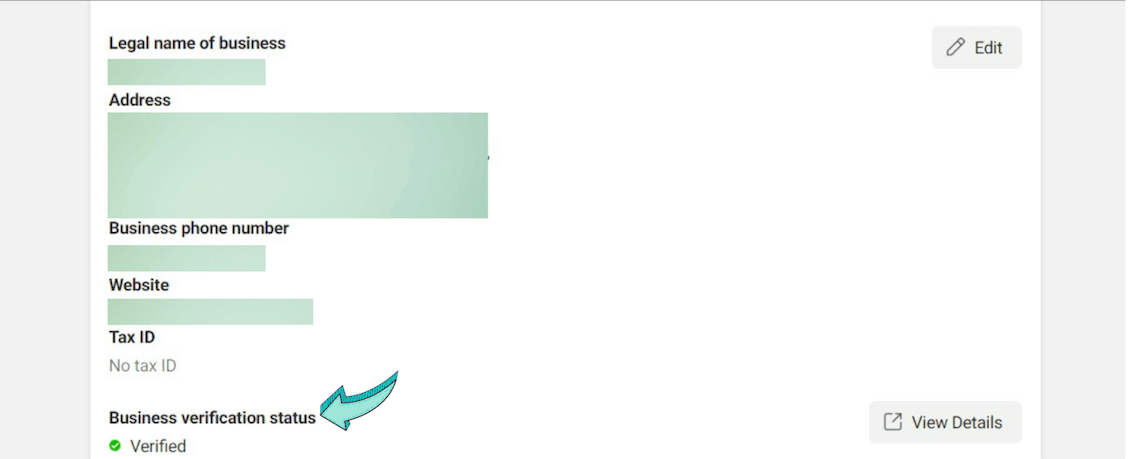
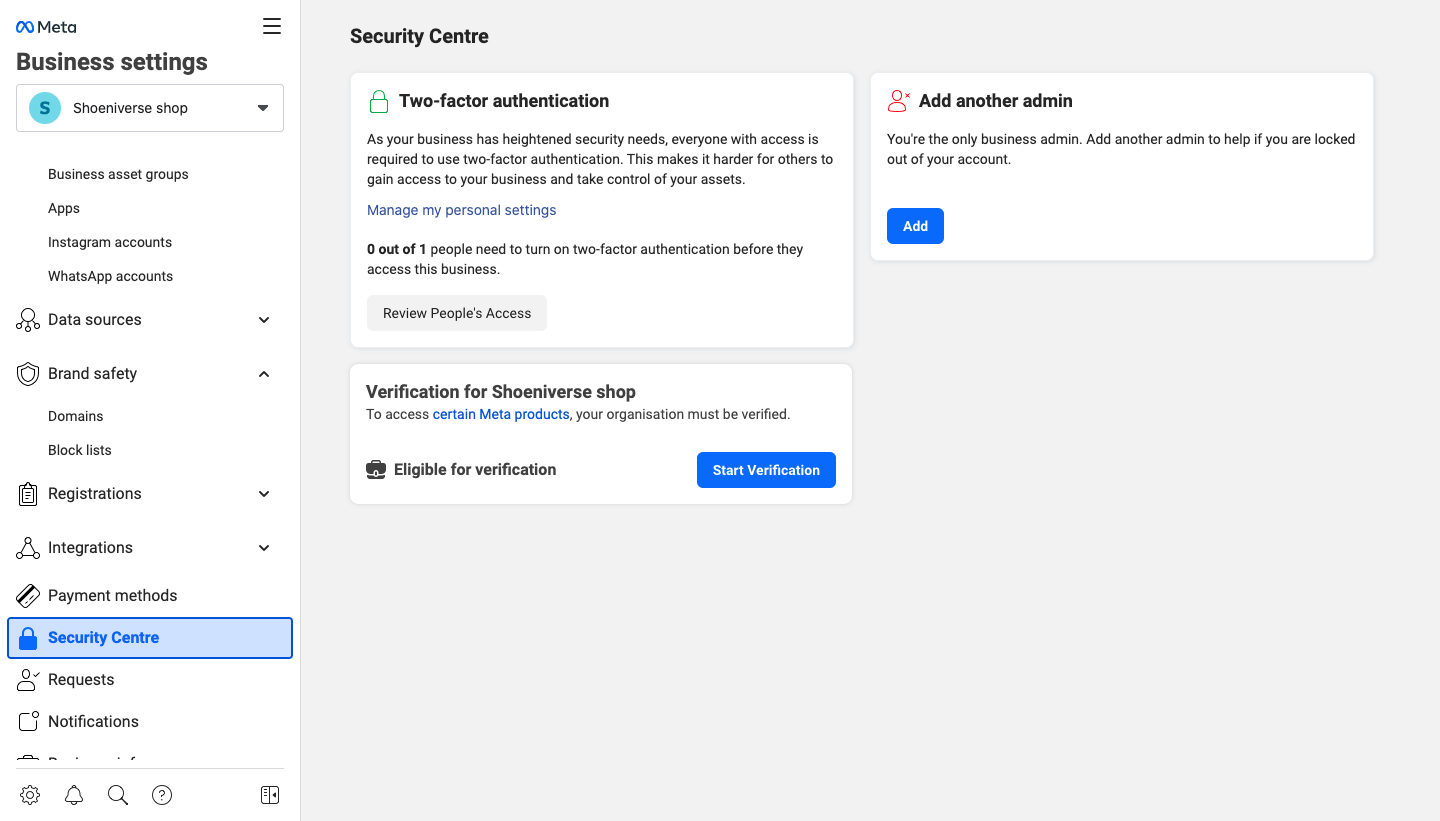
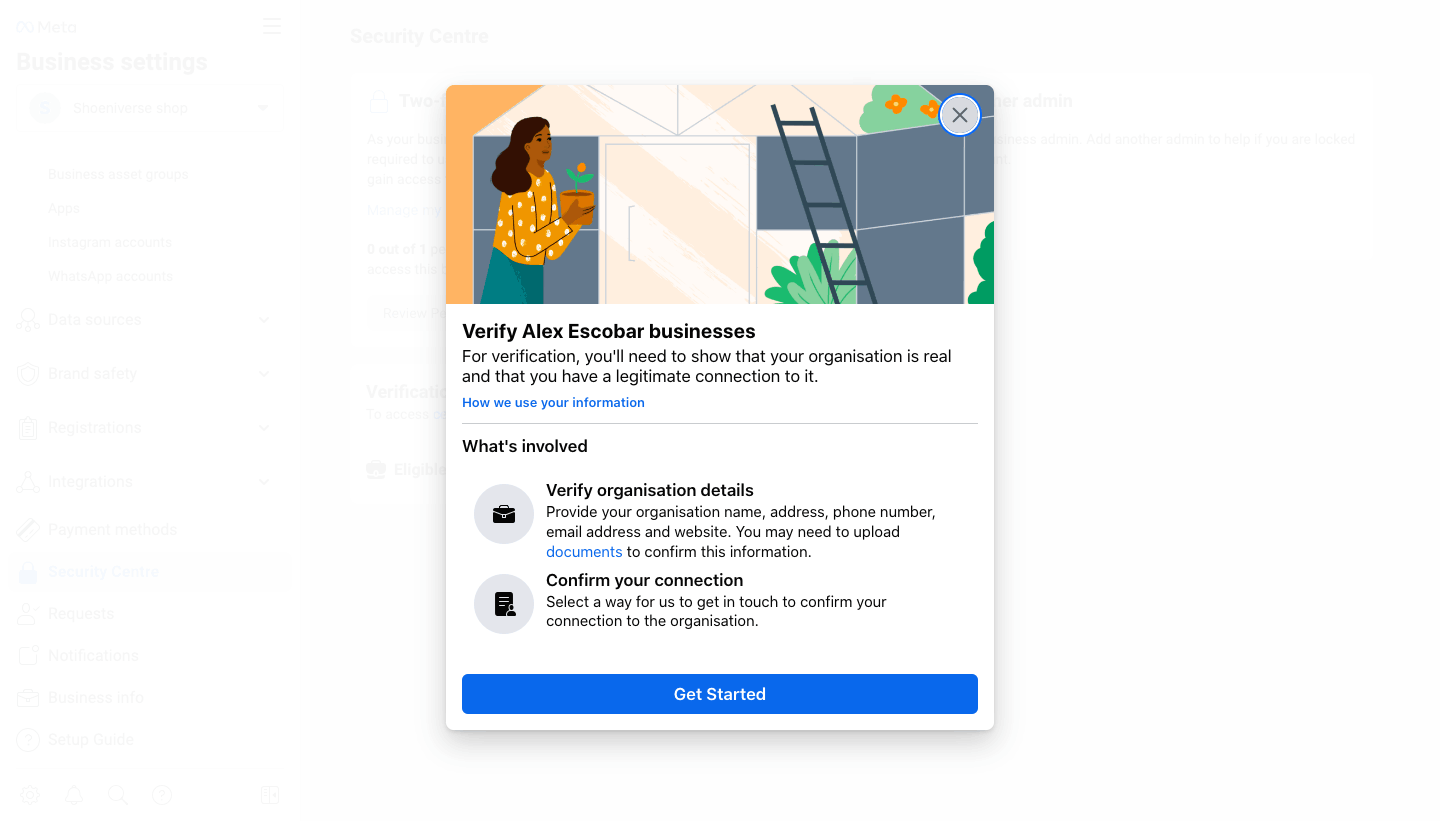
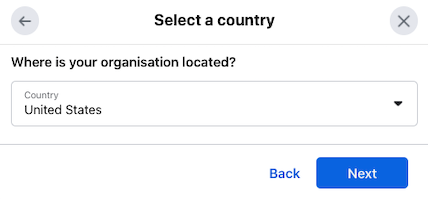
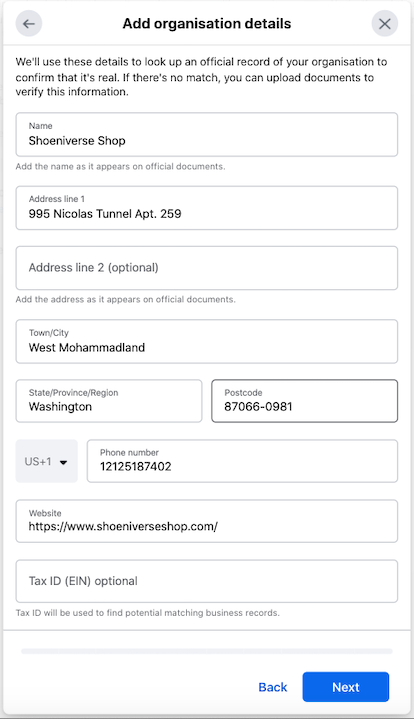
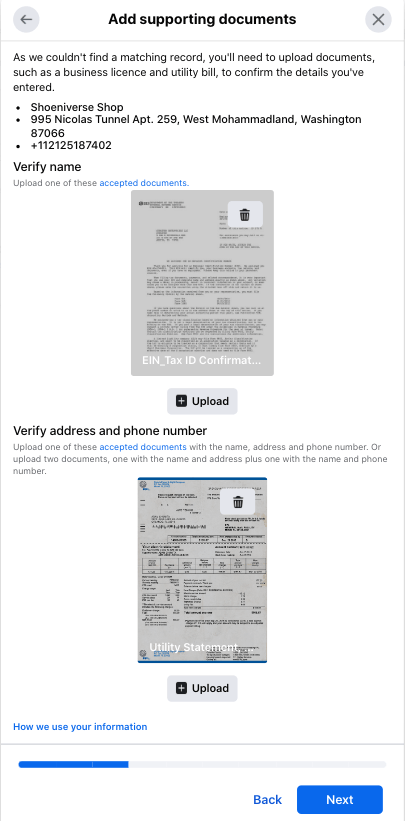
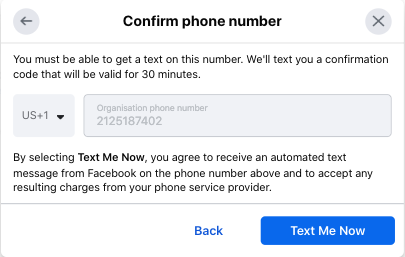
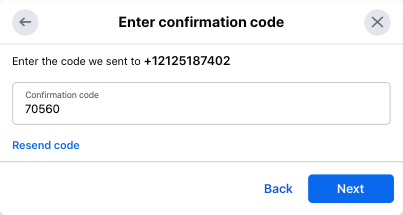
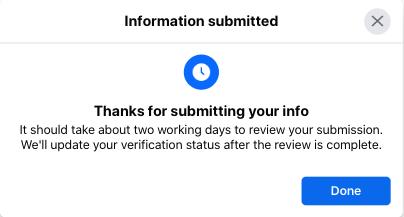
And that's that. Congratulations. Your business should get verified between 2-7 days.
It isn't uncommon for a business to not get verified in one go.
If that is the case with you, do not worry. Try again. Facebook will tell you what went wrong.
Once everything goes according to Facebook policies, your business manager will get approved.
Certain businesses cannot be verified on Facebook or WhatsApp business API. These include businesses from pharmaceuticals, gambling, downloadable software, weapons, alcohol and several other sectors. The mentioned businesses cannot be verified due to ethical problems.
There are three probable reasons for your Business Manager Verification to get rejected:
Another query faced by many businesses attempting to Verify their Facebook Business Manager Account.
If this is an issue you are facing. Do not fret, we got your back.
Here are two foolproof ways to fix that ‘Start Verification’ button for Facebook Business Manager Verification.
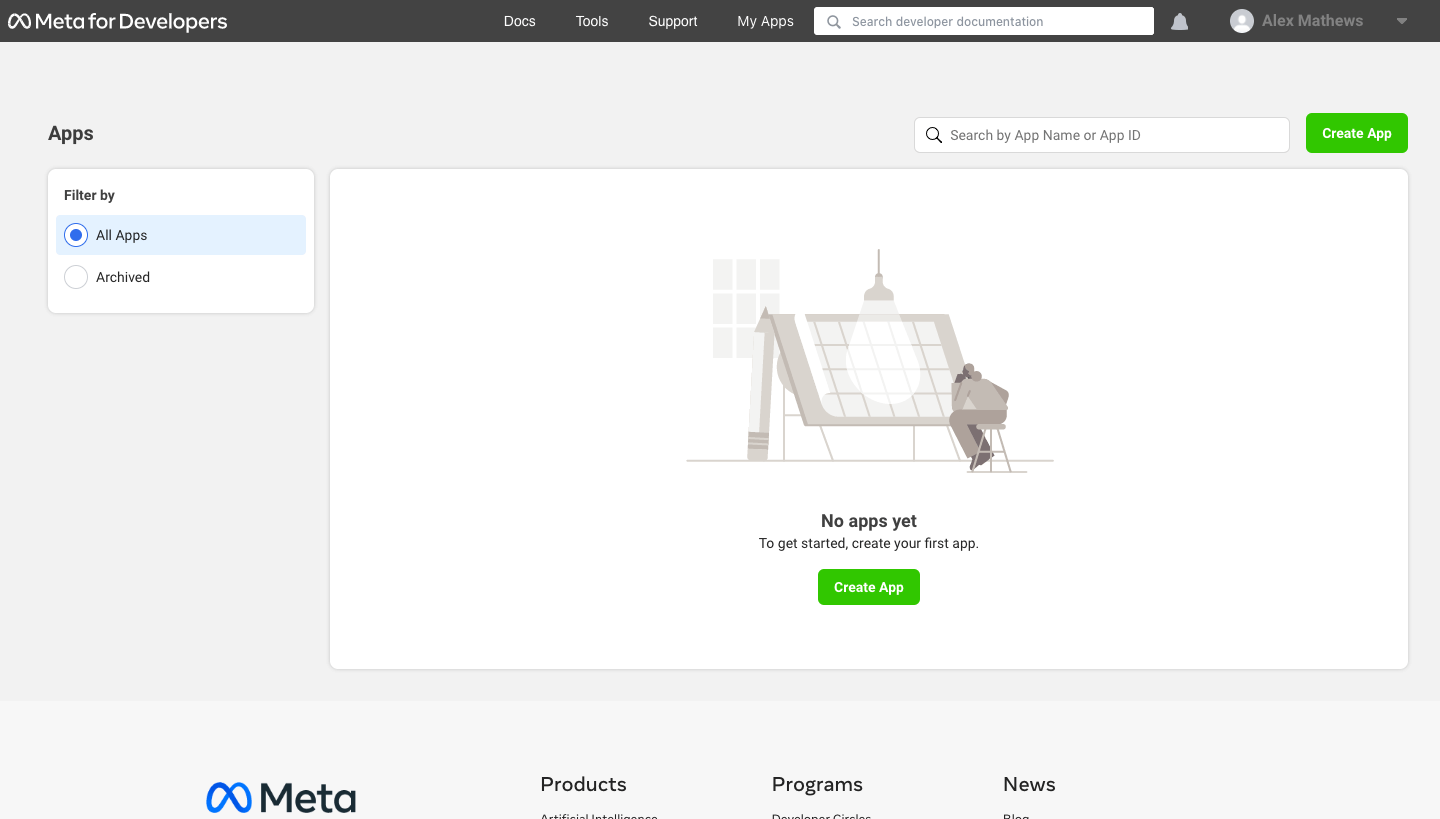
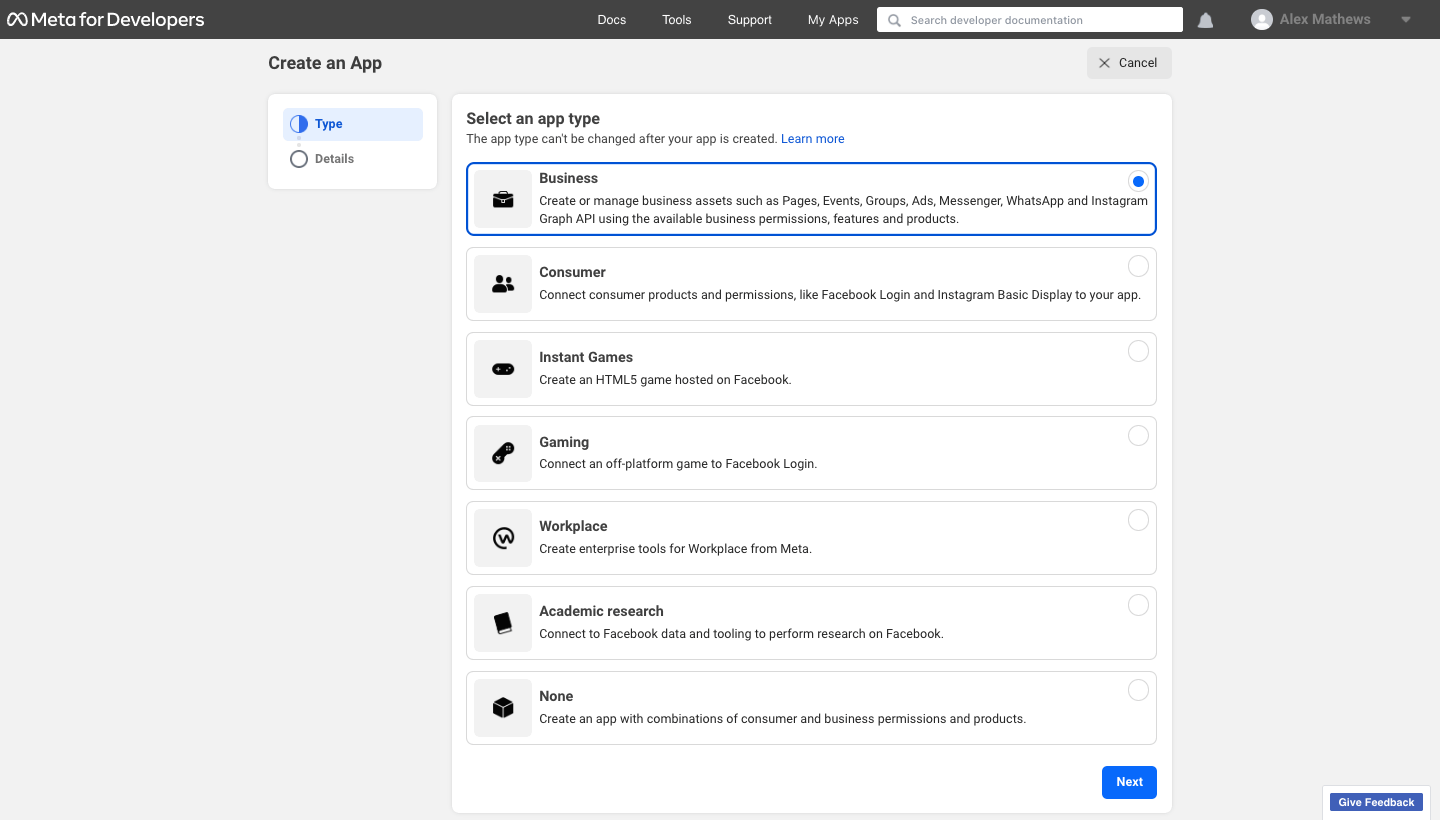
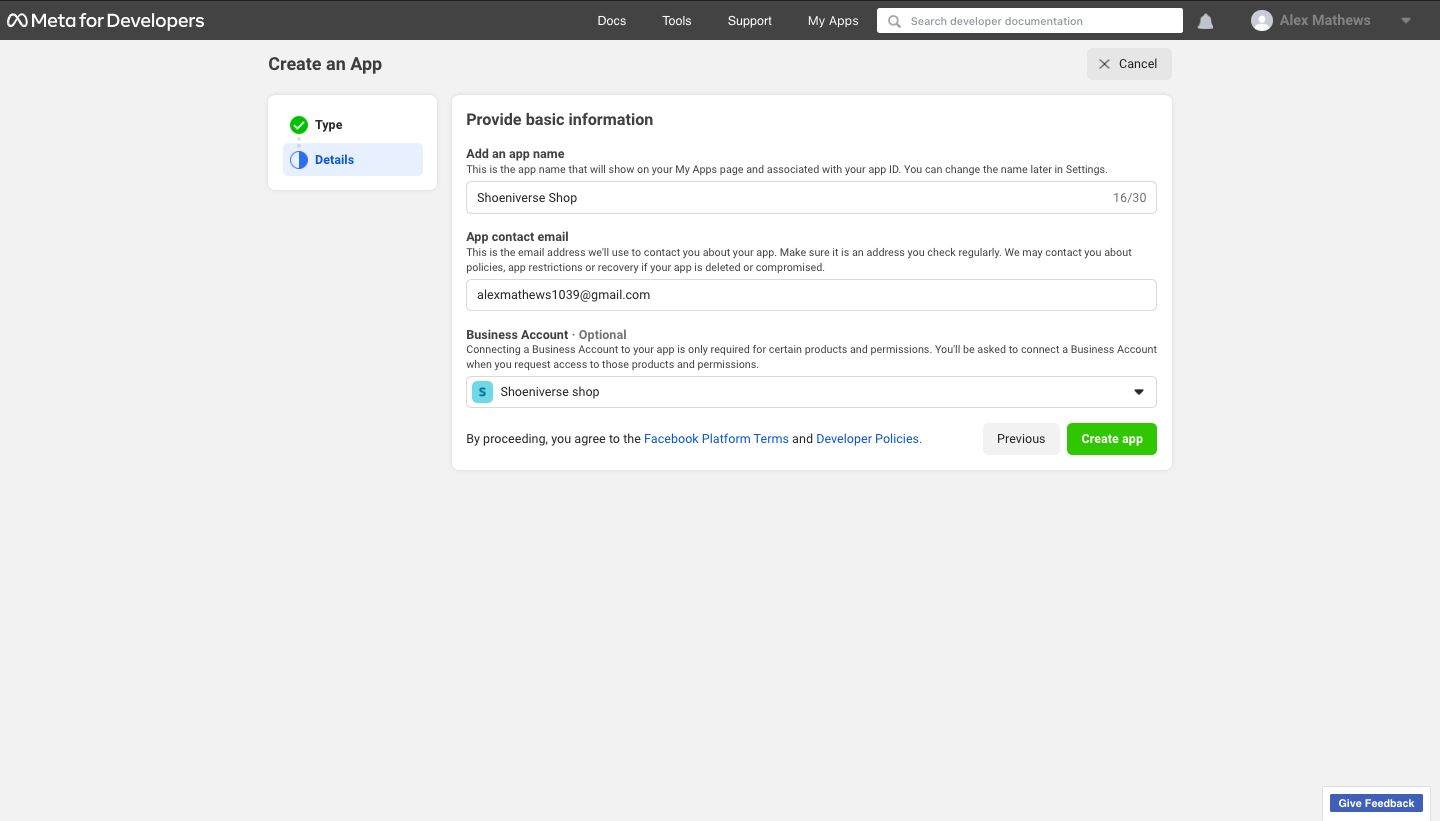
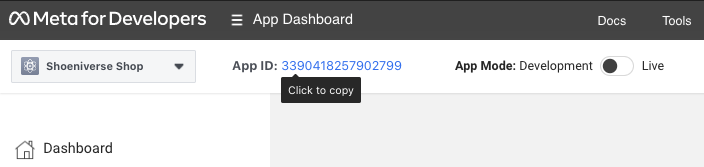
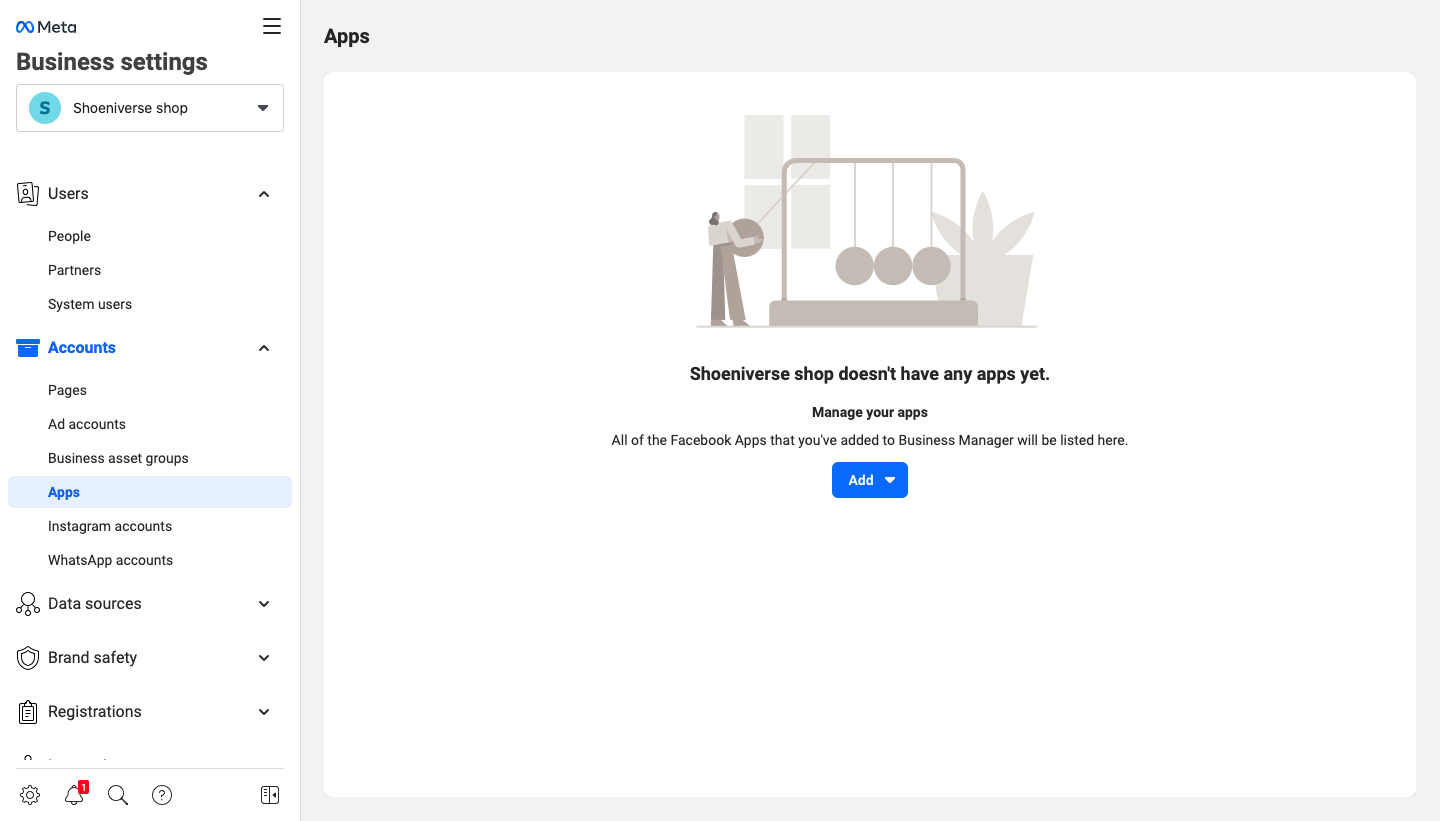
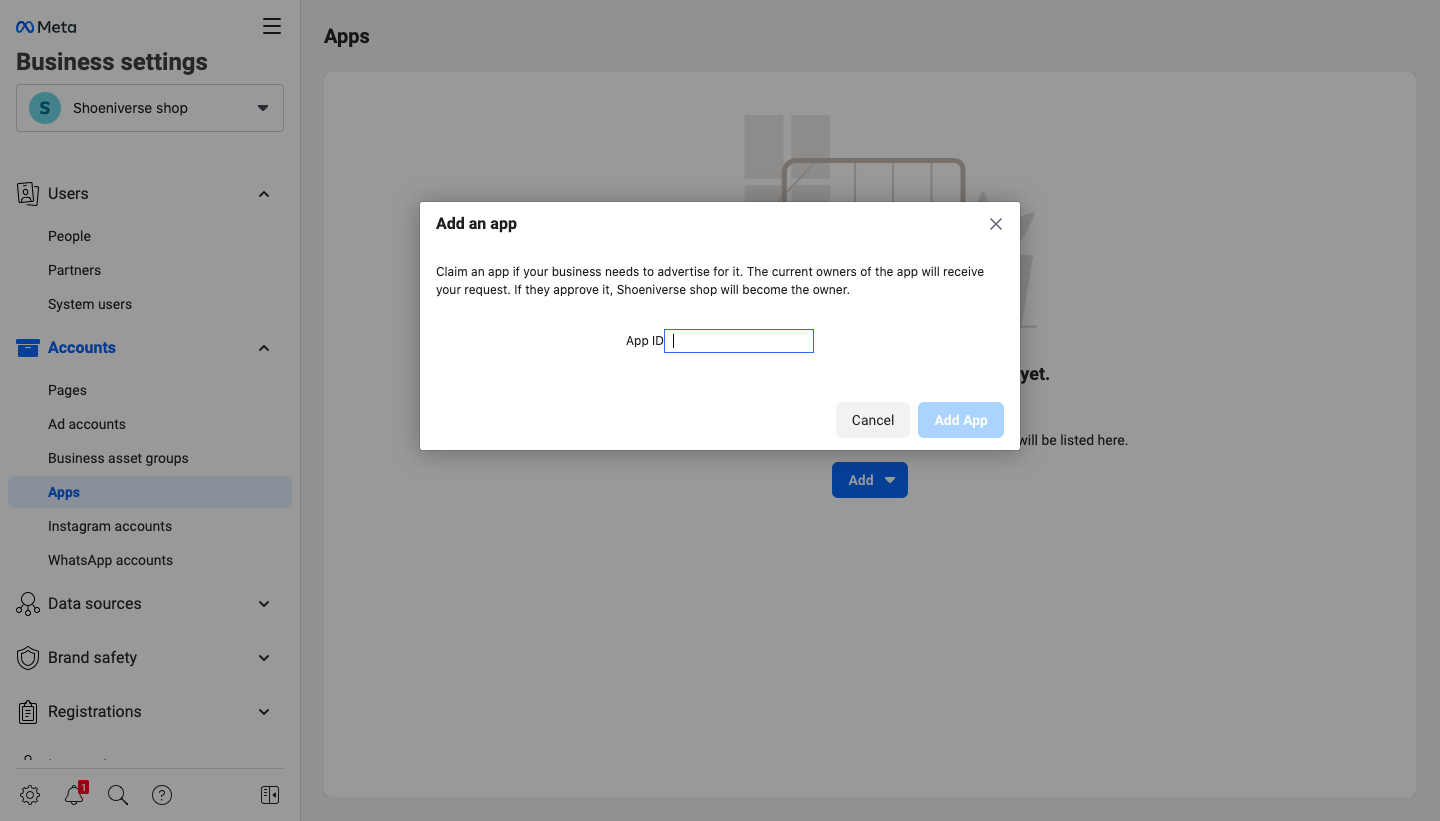
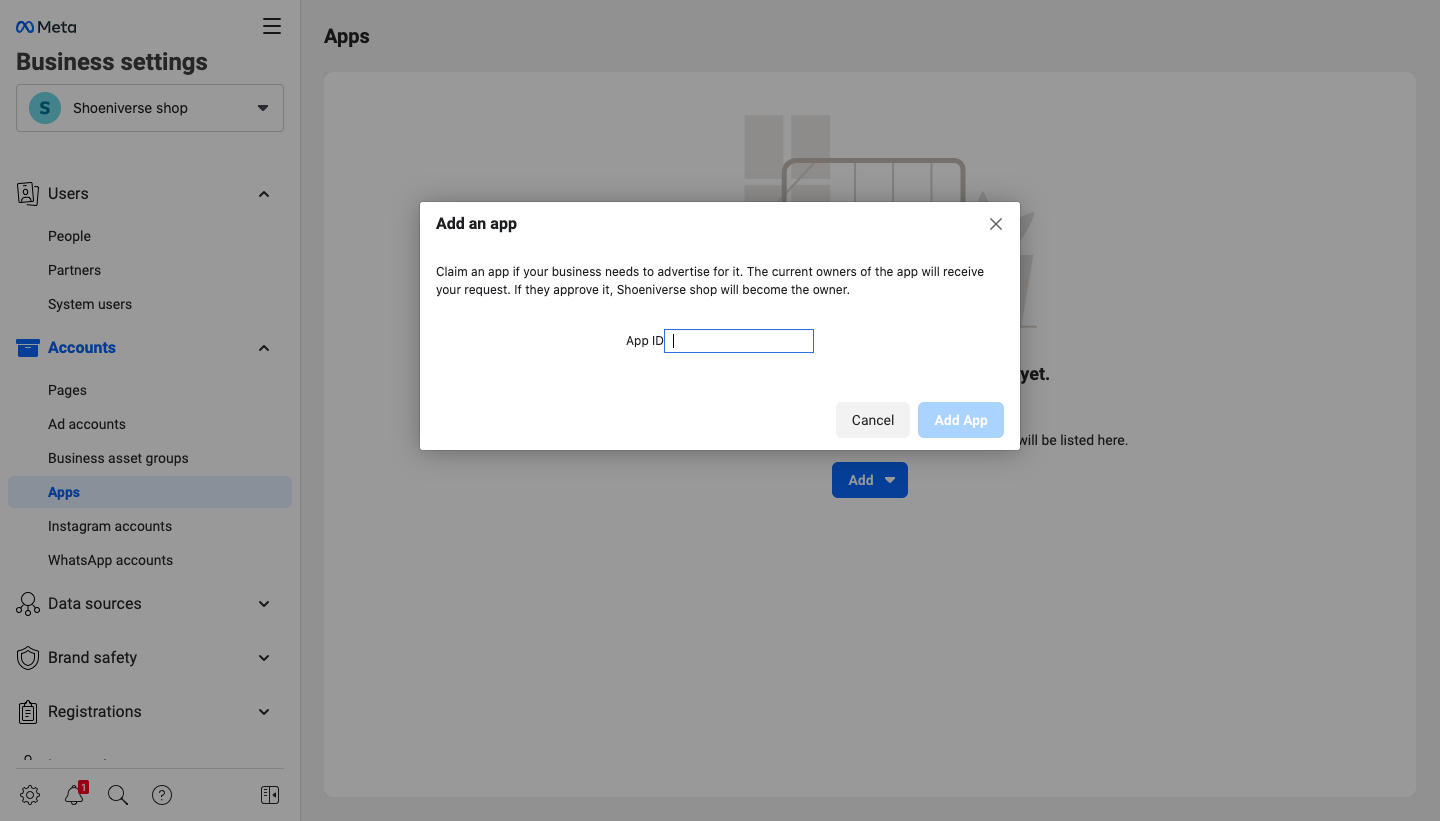
And Voila! Your 'Start Verification'' button is now enabled.
Go back to the "Security Centre" section in your business settings and get your verification process started.
After you have completed the verification process, there is a wide range of advanced features that you now have access to. These features can help your business grow.
You can create engaging ad campaigns for social media and also sell your products on Instagram. You can access the developer features, meta-business partners and also the WhatsApp Business API.
WhatsApp as a platform has a high engagement rate and by using it effectively it can help your business excel.
Here is where Engati can help.
Partnering with a Business automation company like Engati will help you manage your business on more than just Facebook and WhatsApp but also on the entire journey of business process automation. Check out Engati’s Website to know more.
It is important to remember that your Facebook Business Manager account verified is NOT the same as getting a blue tick on your Facebook Page.
Facebook Business Manager verifies your business and provides more tools to help it grow, while Page Verification only verifies the authenticity of the individual or brand in concern.
We hope that this article was helpful to you in every way possible.
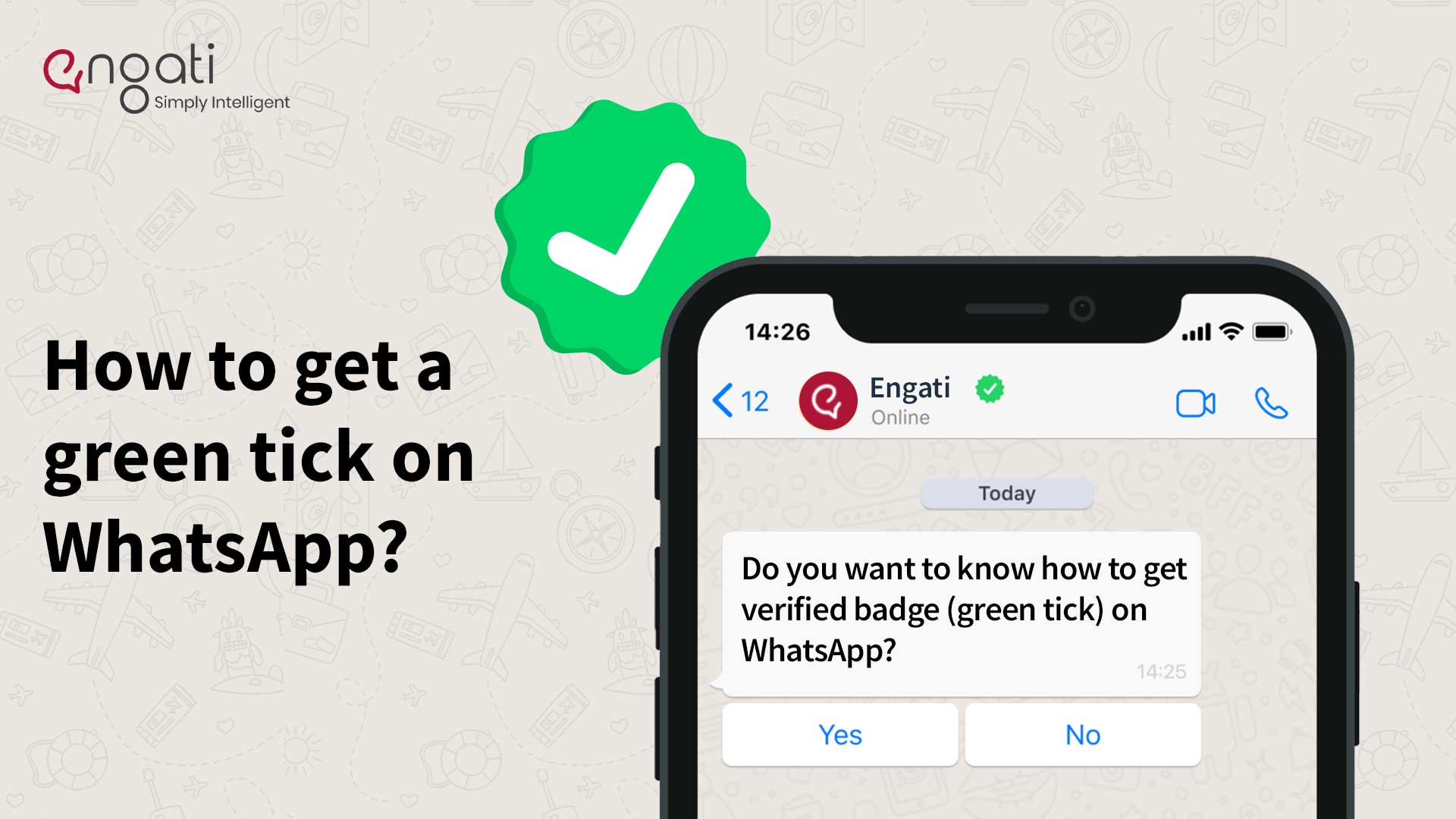
If yes, here is another blog on How to get a Green Tick on WhatsApp.
Drive to Reimagine
A Facebook Messenger bot is a chatbot integrated with Facebook Messenger, using artificial intelligence to converse with people and create customer engagement.
Tech Corner
Get WhatsApp Green Tick Verification for your account. This badge helps users identify your official account on WhatsApp. Checkout 5 steps for verified whatsapp
Drive to Reimagine
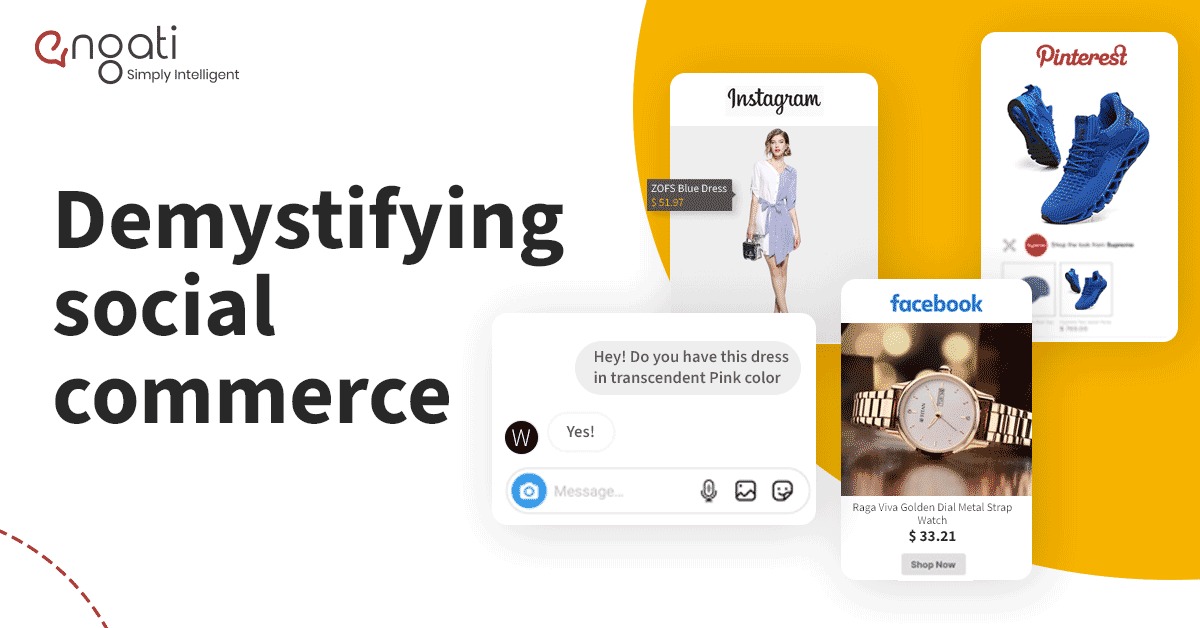
Is social commerce any different from social media marketing? Is it limited to just buying and selling on social media applications? Find out right here!