Tech Corner
How to use Git for beginners in 2024
Git for beginners : Learn version control, Git commands & best practices to streamline your development process. Start using Git with confidence today!
GIT branching strategies are patterns or approaches that you can use to organize & manage your code through different branches in a GIT system. Each strategy defines the rules & guidelines for the creation, naming & merging the branches for facilitating collaboration, stability, & release management.
In this article, we're going to discuss git branching strategy best use cases, hands-on on git, as well as the git branching strategies we follow. Along with recommendations on how to use git to accomplish work in a consistent and productive manner.
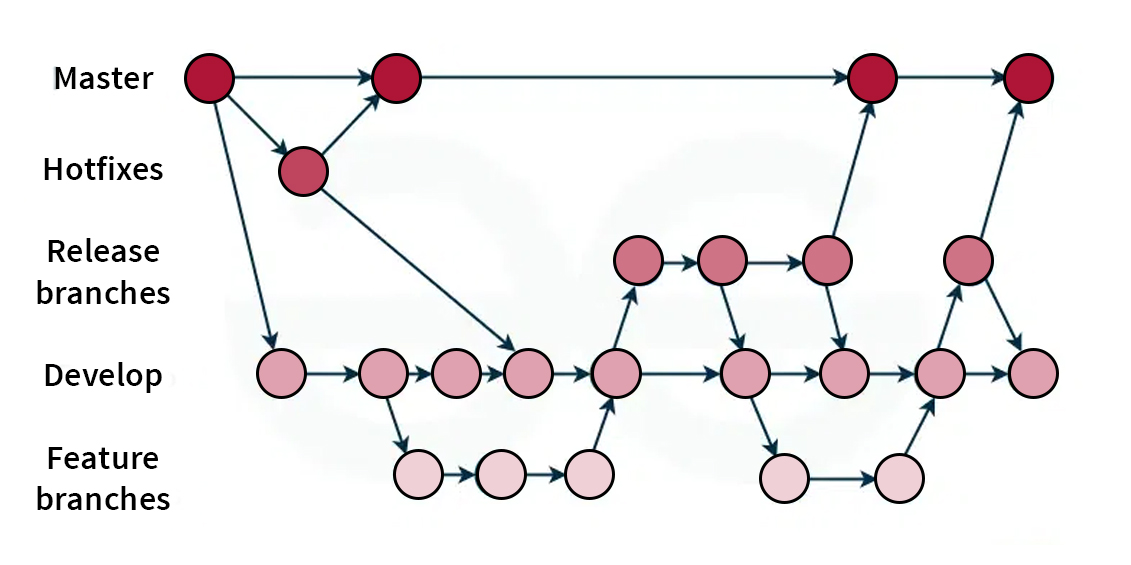
Git commands are used to give specific instructions to the Git version control system to perform a particular operation. Git commands are used to manage any changes that may occur in source code repositories, track revisions, and collaborate with other developers. Here are some important Git commands you might want to keep handy.
1. To create a copy of a git repository from the remote source to your local, also set the remote to the original source so that you can pull/push on the same repository.
git clone <remote origin="" url=""></remote>
2. Command for how to change branch name in Git.
Git branch -m <old_branch_name> <new_branch_name>
3. To create a new branch from an existing branch with preserve the uncommitted/stash changes.
git checkout -b <branch_name></branch_name>
4. To check all the branch's revisions in your local system also helps in finding out which branch is currently active.
git branch
5. To add content from the working directory into the staging area (or “index”) for the next, commit.
git add -p
6. Create a new commit containing the current contents of the index and the given log message describing the changes
git commit -m <commit message=""></commit>
7. To publish locally committed changes to origin.
git push origin <branch name=""></branch>
8. To fetch & merge changes from origin to your local branch.
git pull origin <branch name=""></branch>
9. To record the current state of the working directory and the index, but want to go back to a clean working directory.
git stash
10. To list all the recorded indexes of the working directory/repository.
git stash list
11. To list all the recorded indexes of the working directory/repository and leave it in the stash stack.
git stash pop
12. To apply the top stashed element to your current working branch/directory and remove it from the stack
git stash apply
13. To view commit history with SHA for current active branch
git log
14. To reset the active branch head to a particular commit or branch.
git reset — hard <commit sha="" branch="" name=""></commit>
Creating a Branch in GitHub
You can create a branch in GitHub using its web interface. Here’s how:
This will create a new branch from the currently active branch.
Feature branches are used to develop new features or make changes. To create a feature branch in Git, follow these steps:
1. Create the Branch
git checkout -b <feature_branch_name>
2. Best Practices for Naming
Listing Branches
To see all branches in your repository, you need to lest all branches in Git. Use the following commands:
1. List Local Branches
git branch
2. List All Branches (Local and Remote)
git branch -a
Feature branches are used to develop and test new features independently from the main codebase. Each feature branch is created from the main branch and merged back once the feature is complete. This practice helps isolate changes and allows for better testing and review processes.
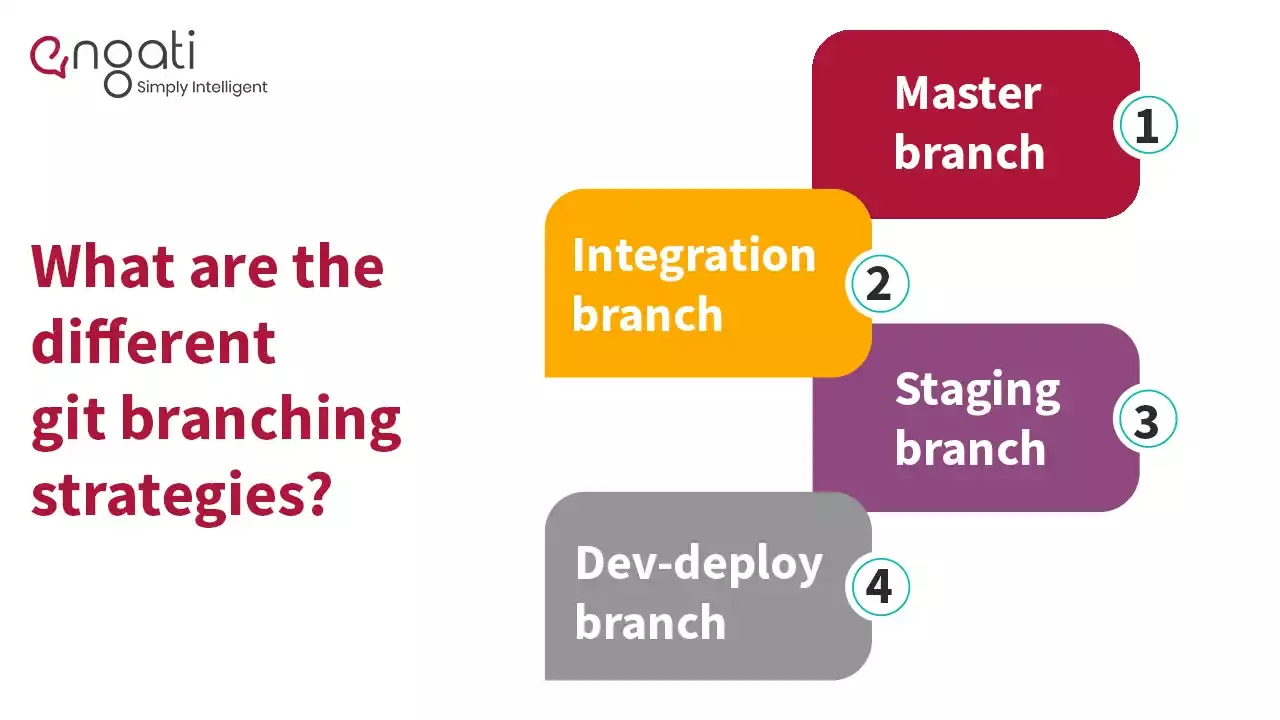
It is crucial to learn GIT branching strategies for anyone who uses GIT. Here are some commonly used git branching strategies:
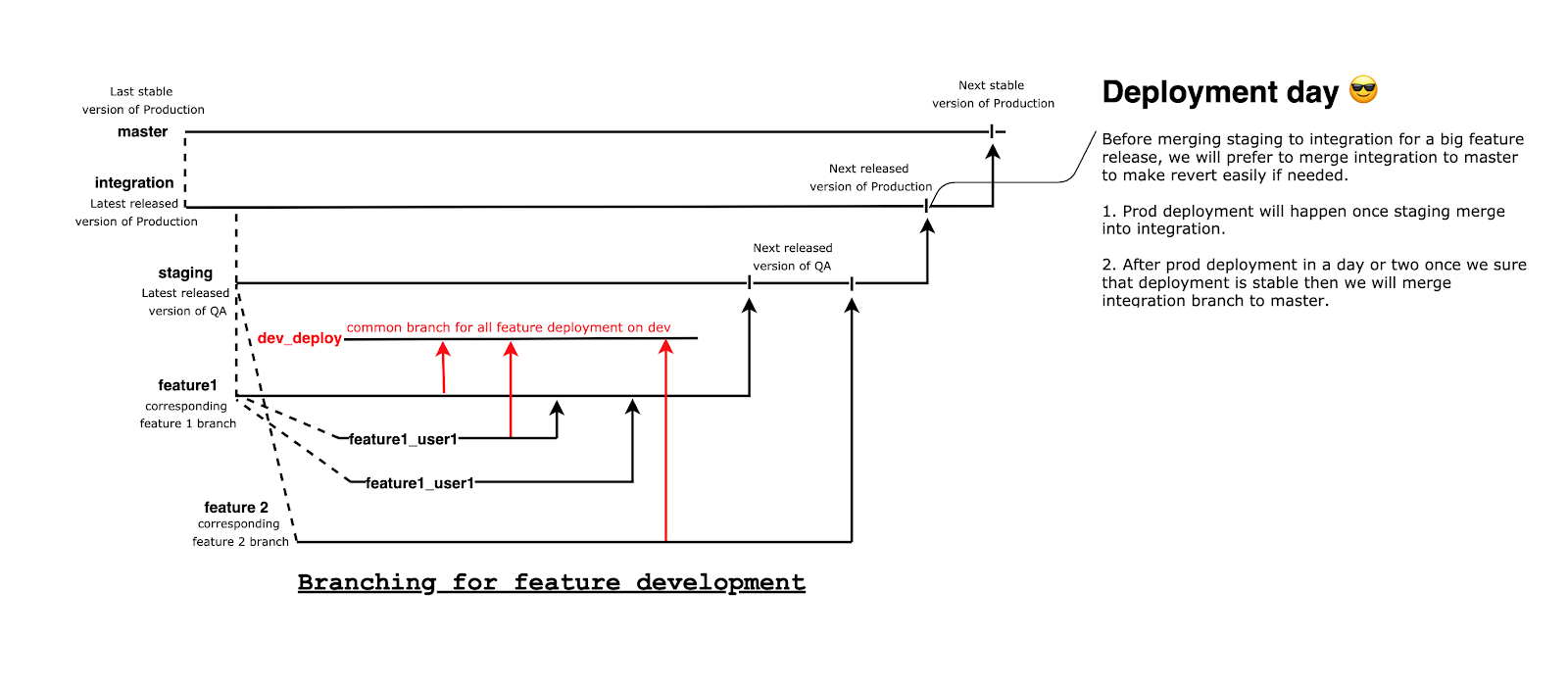
This is the main branch and one of the repositories in which we have the latest stable code of production.
General rules:
The master branch should never have unreleased code, i.e., commits made but not yet released.
This is the most important and active branch of the repository from which we make releases to the production server.
General rules:
Ideally, the Integration branch should also never have unreleased code, some time on the deployment day when the code is merged a few hours before deployment time.
This is another stable branch of the repository for QA-environment from which we make releases to the QA server.
General rules:
Prior to production deployment, all the feature changes must get merged in staging and validated on QA. Once validation is completed, we'll raise another MR towards the integration branch.
This branch will be used primarily for deploying on-going development work to the Dev environment. Since multiple teams may work on different features, projects and bugs at the same time, all of them need a Dev environment to test the changes before moving to QA. The idea of the Dev-deploy branch is to merge multiple feature branches to a common branch and deploy the same.
This is so that everyone can use a shared development environment at the same time to validate changes.
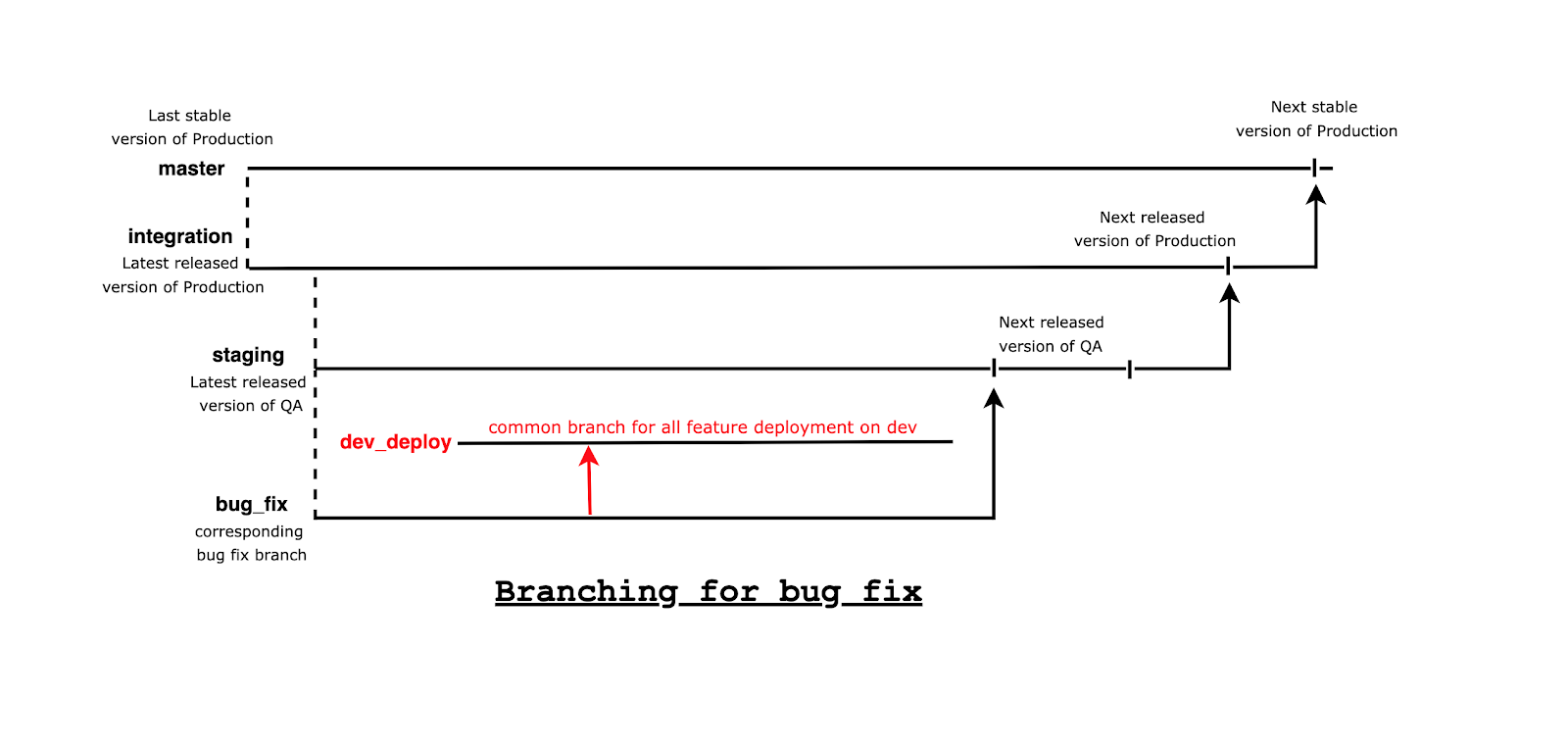
With so many GIT strategies, be careful with a couple of things:
We hope this article will help you use git in a more productive manner and assists you with your branching strategy in GIT. Another tool that boosts productivity are chatbots. Get started with an Engati Chatbot today!
Tech Corner
Git for beginners : Learn version control, Git commands & best practices to streamline your development process. Start using Git with confidence today!
Tech Corner
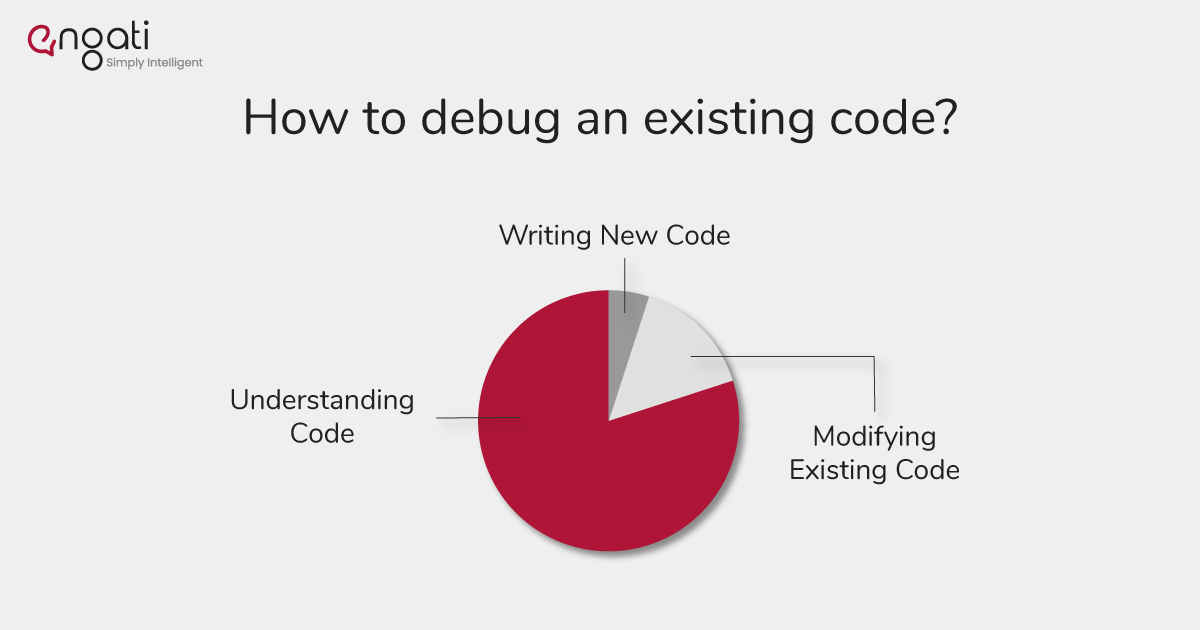
If you are new to a project, here is what you could do before you ask your colleagues for assistance and try to increase your skills to debug existing code.

Tech Corner
Is your codebase stuffed with multiple lines of code that serve a similar purpose? Time to clean things up. Learn how to create reusable components in AngularJS