Whatsapp Marketing
WhatsApp Channel Setup: How to Use It for Your Business
Discover how to set up, use, and get a verified WhatsApp Channel for your business . Enhance customer engagement and streamline communication effortlessly.
The festive season is here! You will see everyone around with excitement and it’s the perfect time for businesses to spread the word about their offers, products, or services. But how do you reach a massive audience all at once, without losing that personal touch? Well, there are many solutions to this, but one of the prominent ways is WhatsApp Marketing. Recently, WhatsApp Marketing is becoming the primary channel of marketing for many businesses due to its ability of giving the sense of personalization.
Amongst many methods that you can use, one of the quickest ways is to send WhatsApp bulk messages. Sending bulk messages without getting blocked or breaking WhatsApp's rules can be tricky. Let’s break it down step-by-step!
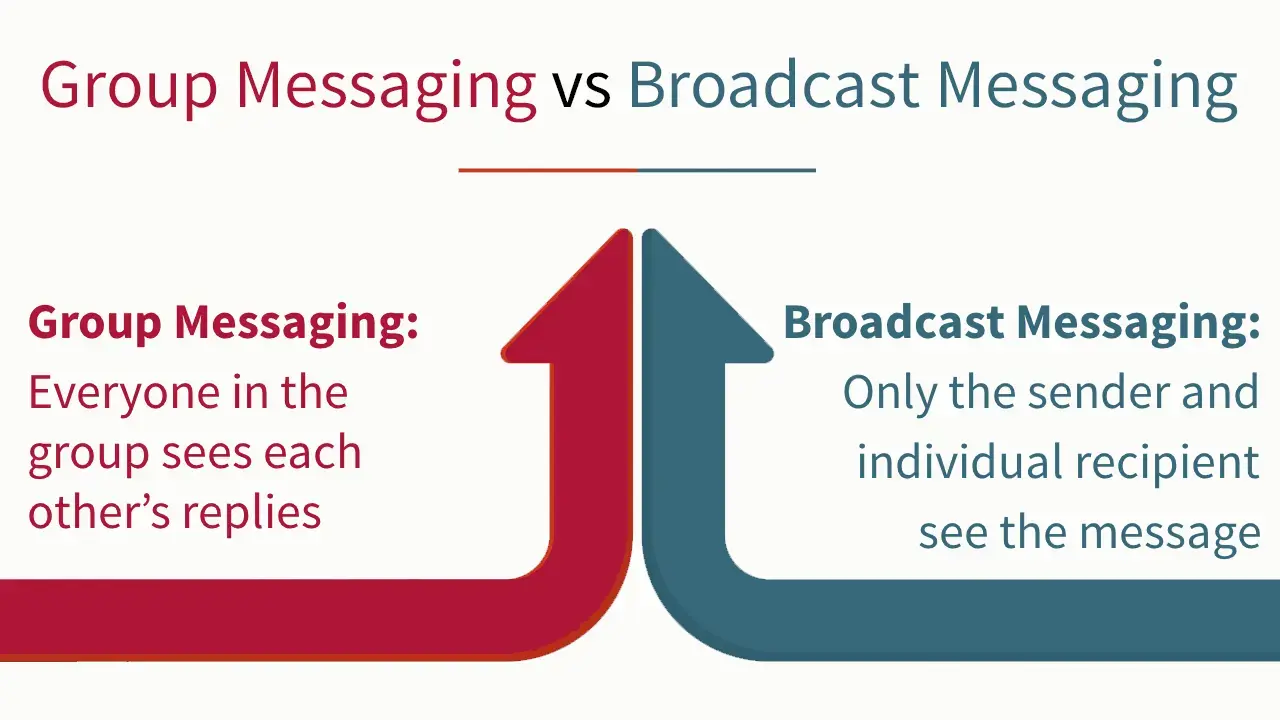
Key Difference:
WhatsApp bulk messaging allows businesses to send a single message to a large group of people all at once without creating a group chat. This method is ideal for promoting products, offering discounts, or sending event invites during the festive season. Unlike group chats, where everyone sees all participants and responses, broadcast messages keep things private between the sender and recipient, providing more privacy and personalization.
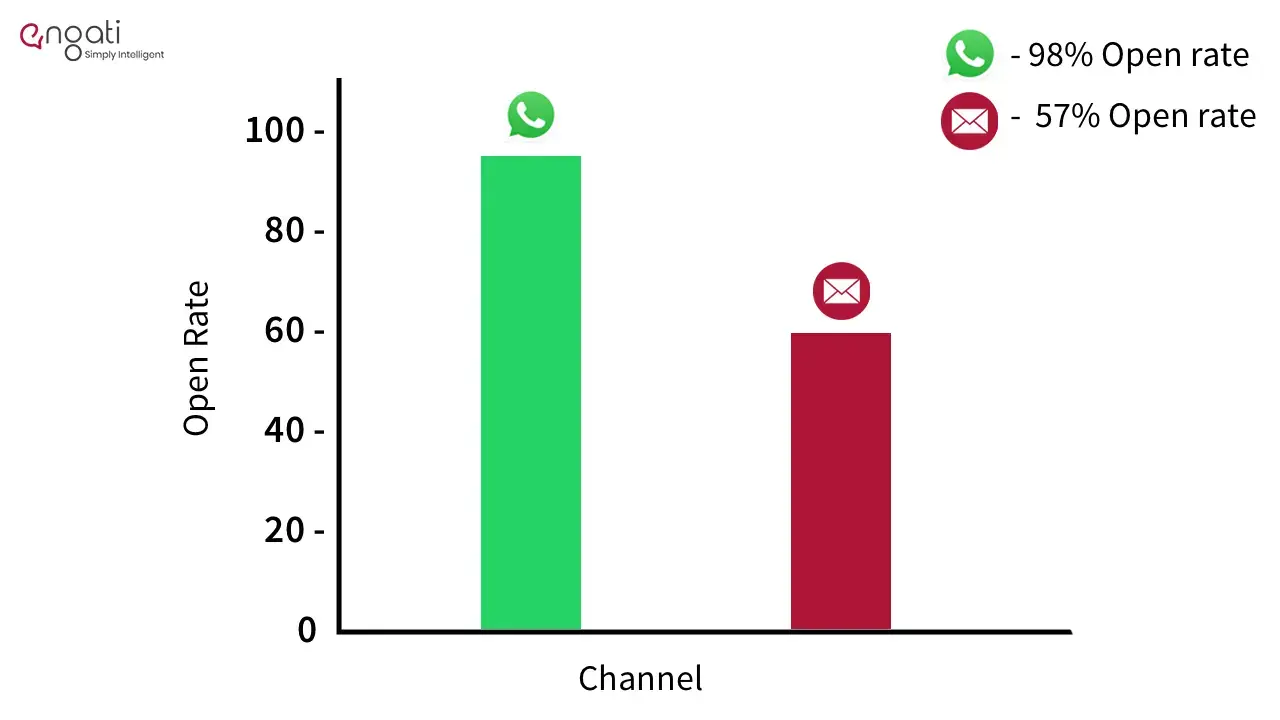
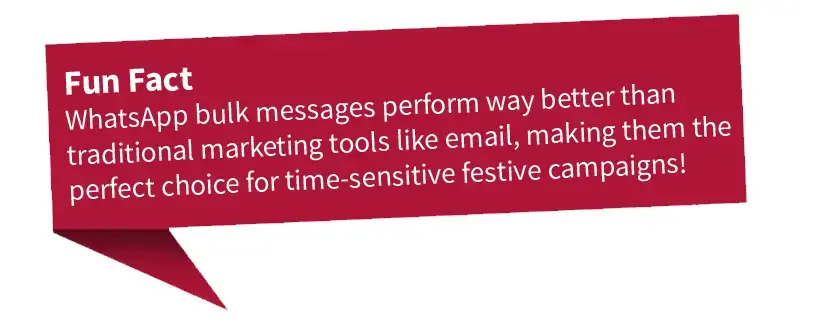
WhatsApp is one of the most powerful platforms for bulk messaging, especially during high-engagement periods like the festive season. Here’s why:
Yes, but it requires following WhatsApp's rules strictly and using the WhatsApp Business API. This API allows businesses to send thousands of messages each day, provided that recipients have opted in to receive messages.
WhatsApp has a tiered messaging system for broadcast limits:
There is no specific process to achieve this. To progress through these tiers, businesses need high-quality engagement and compliance with WhatsApp’s policies. Sending spammy or unsolicited messages can result in getting flagged or blocked.
It’s important to maintain a strong message quality to ensure smooth operations and avoid penalties.
It is important to know the latest updates on WhatsApp Business API as it helps you to plan your strategies accordingly.
With WhatsApp constantly updating its platform, there are now more advanced tools to help businesses interact with their customers. WhatsApp Business API allows companies to:
These updates make WhatsApp even more powerful for businesses during the festive season.
WhatsApp has also rolled out several key updates for businesses, especially when it comes to bulk messaging and user engagement. Here are some of the prominent features:
Make sure you check all the key updates before going ahead!
Here’s how you can set up WhatsApp Business API to send bulk messages:
Let’s get started. Sending out broadcast with engati has 2 phases.
This is basically, getting the approval from WhatsApp for whether or not you can send that out to the large audience. You have to create your message following certain guidelines and get it approved before you can send it out as a broadcast to your list.
Here is how to do it:
1. Log in to Engati's WhatsApp automation software and connect your WhatsApp Business Number.
2. Go to the dashboard and select ‘WhatsApp Marketing’ then ‘Create Message Templates’.
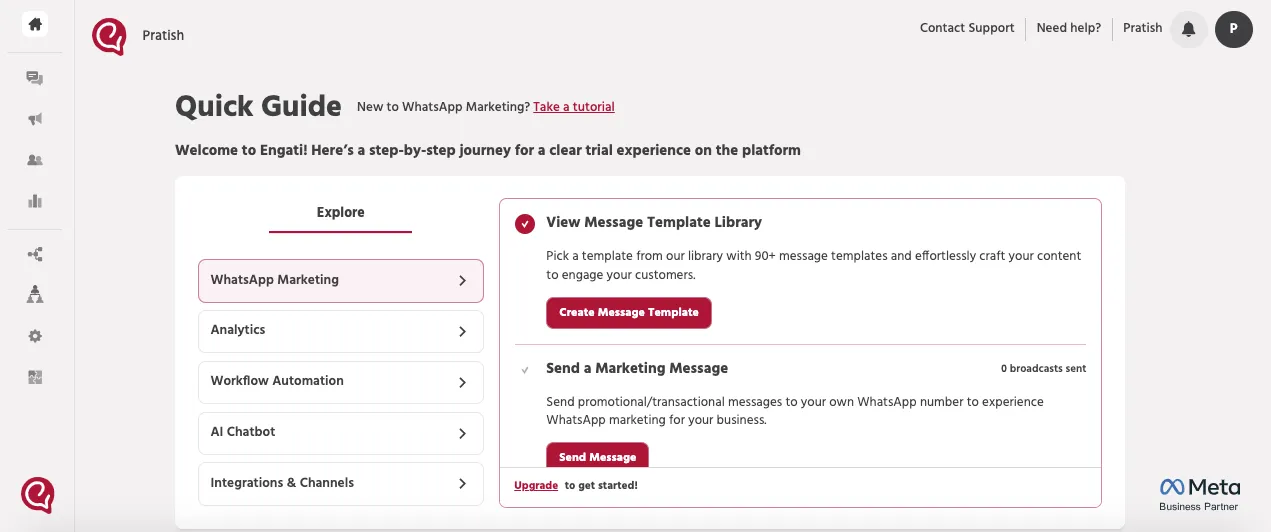
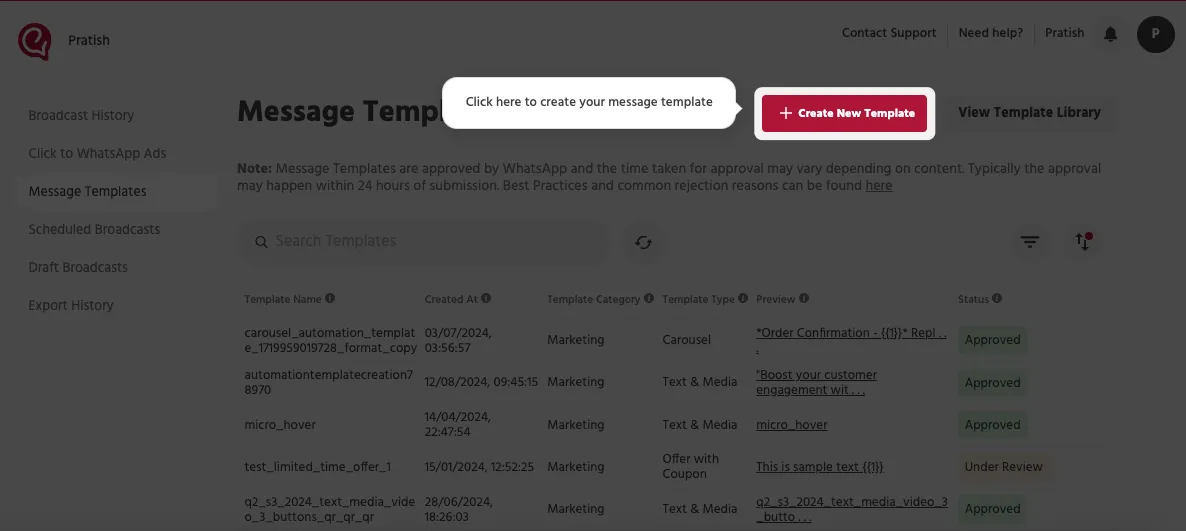
3. Select ‘Create New Template’.
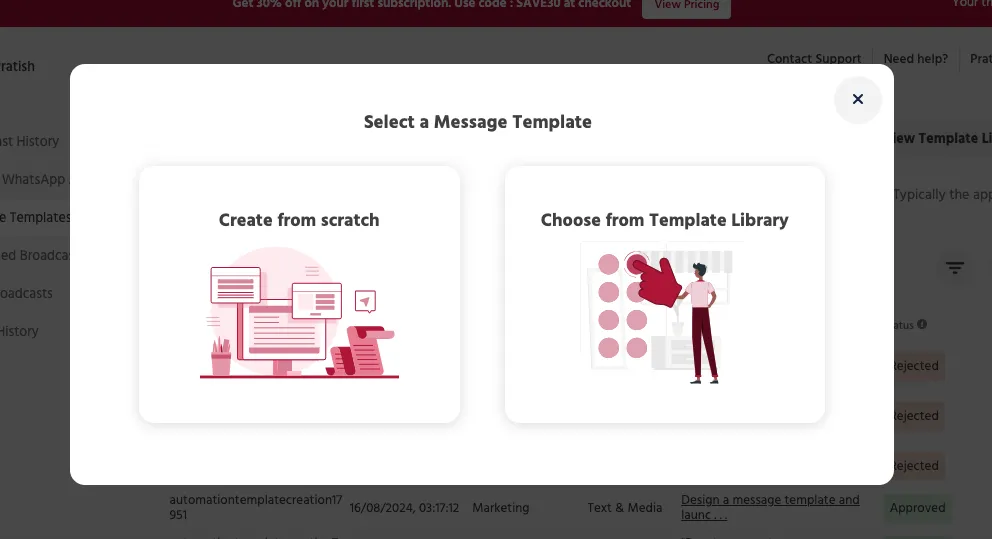
4. You can use our pre-made, existing message templates from Engati’s message template library if you want. But, since we are creating a new WhatsApp message template, select ‘Create from scratch’.
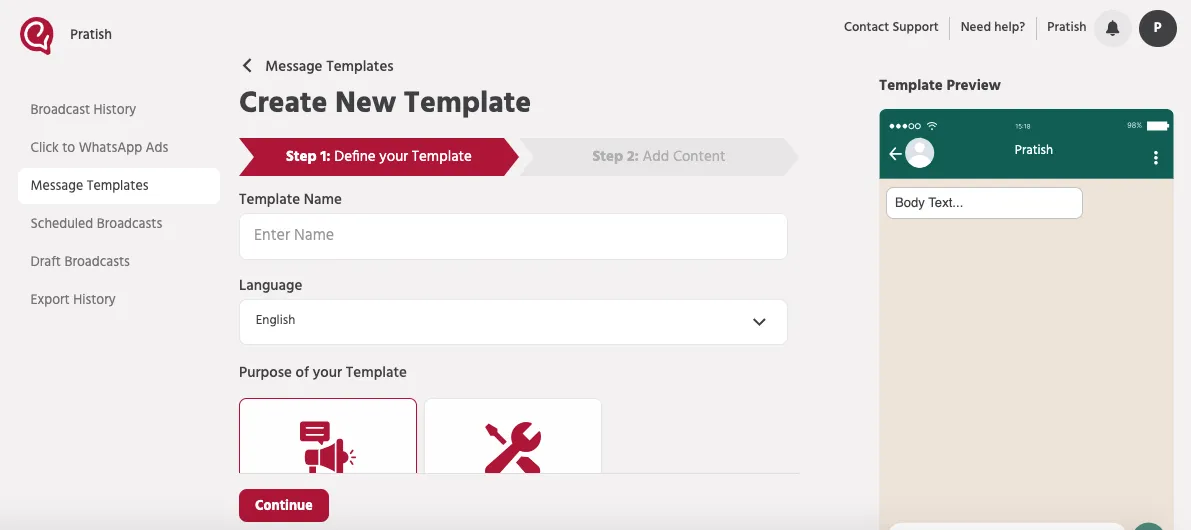
5. Fill-up all the details and tap ‘Continue’
6. Headers can be text, image, video, or document.
Type in the WhatsApp message in the given space. While writing your message content, you can add variables by using {{#}} as a placeholder.
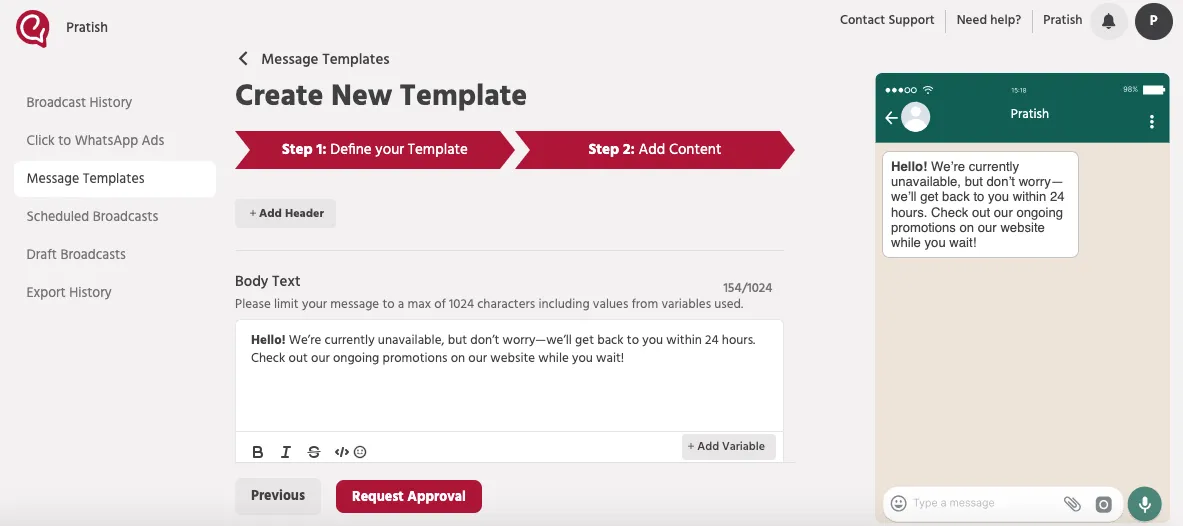
7. Explore other buttons for more customization. Then click ‘Request Approval’
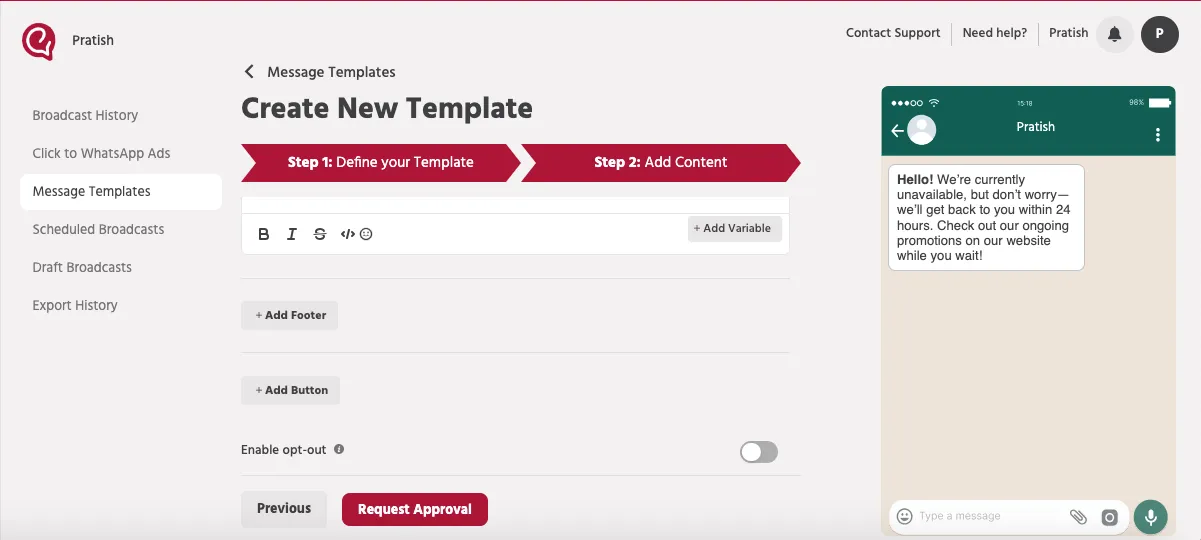
8. Wait for 24 to 48 hours to get Meta’s approval for your WhatsApp template.
Once your message template is approved now its time to send out the broadcasts!
Here is how to do it:
1. Go to "Marketing Campaigns".
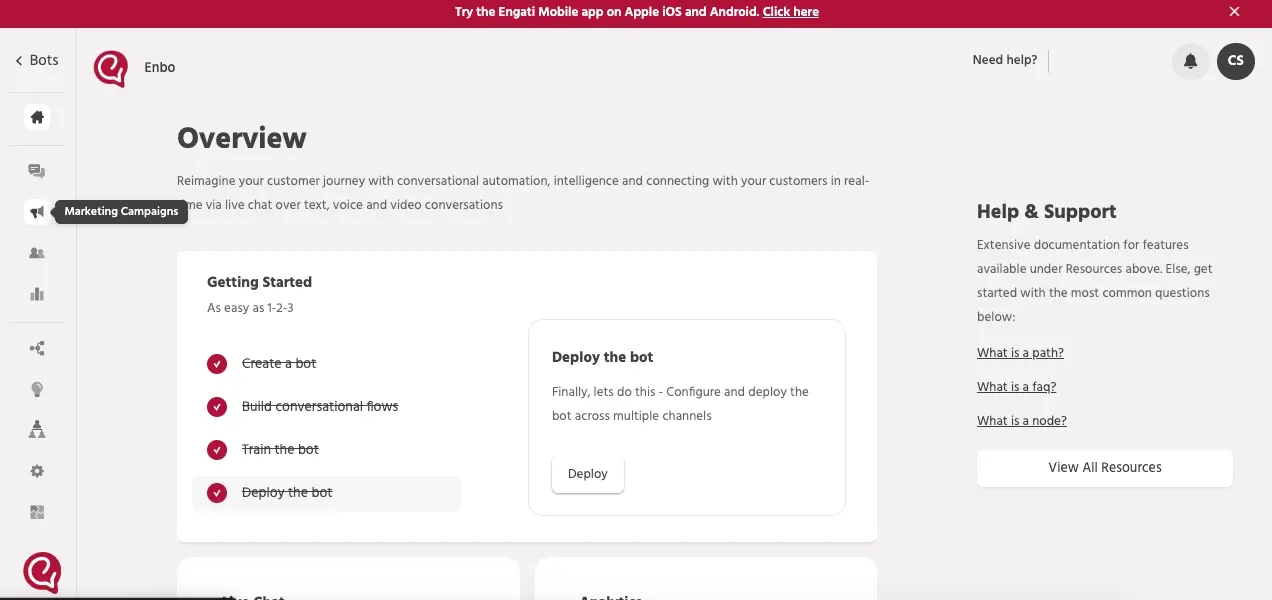
2. Click on the big red button on the top right corner that says, "+Create New Broadcast".
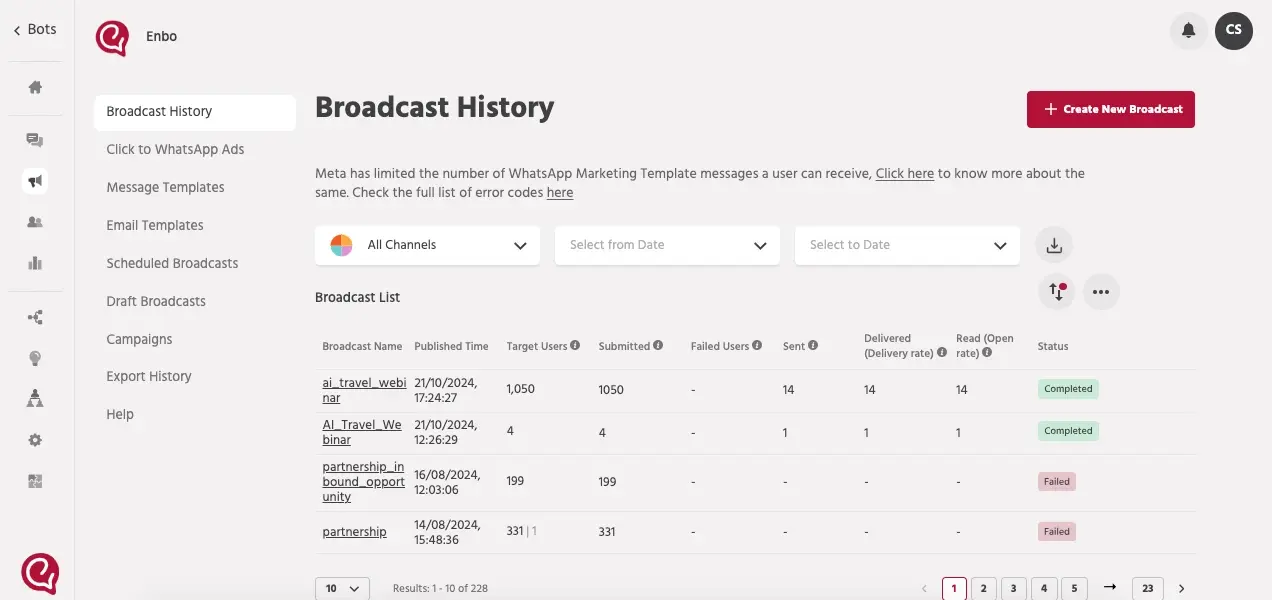
3. Give a name to your broadcast and then under Target Channel select WhatsApp
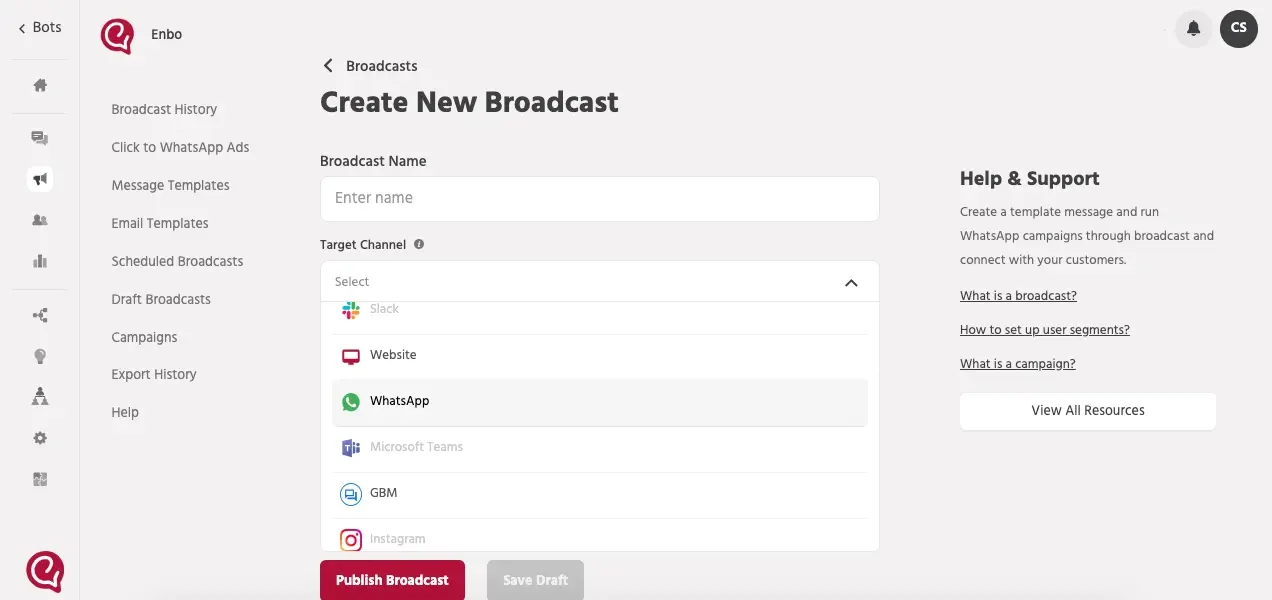
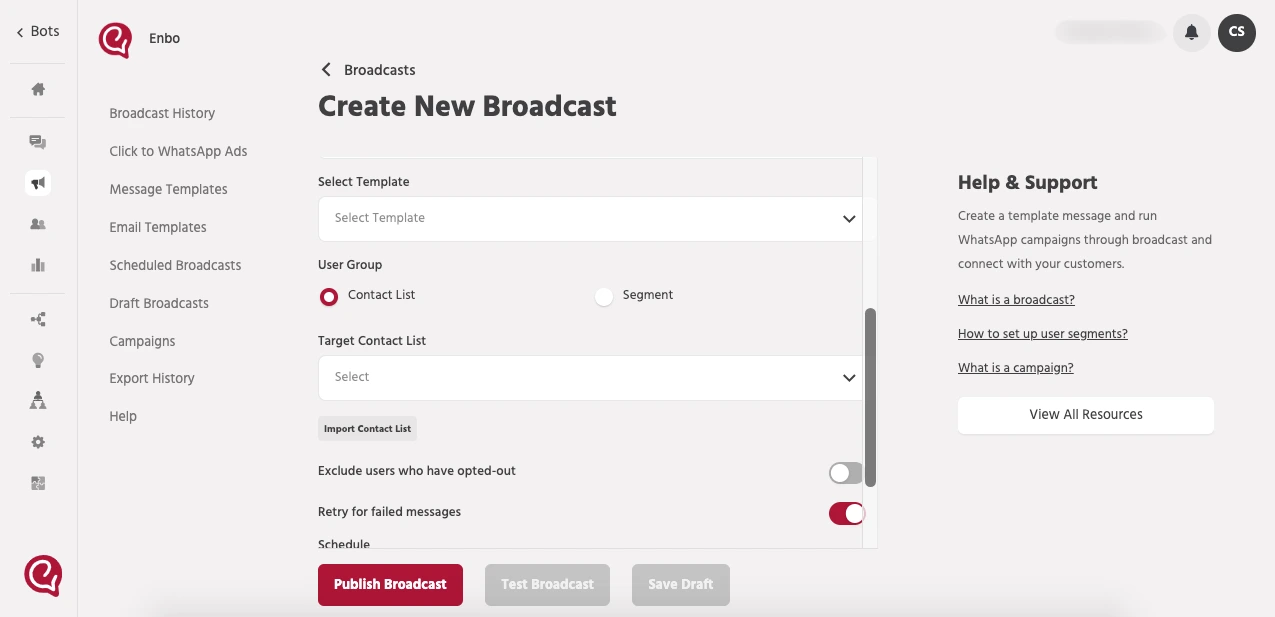
4. Now select the template that we created in phase 1. It will appear in the drop down under "Select Template".
Then select or upload the broadcast list of the users you want to sent WhatsApp bulk message and hit "Publish Broadcast".
Don’t just send messages—track them! Use WhatsApp’s built-in analytics to understand:
This data helps you tweak and improve future campaigns.
WhatsApp is very strict about spam. To avoid getting blocked:
Here are some ideas to make the most of your festive bulk messaging campaign:
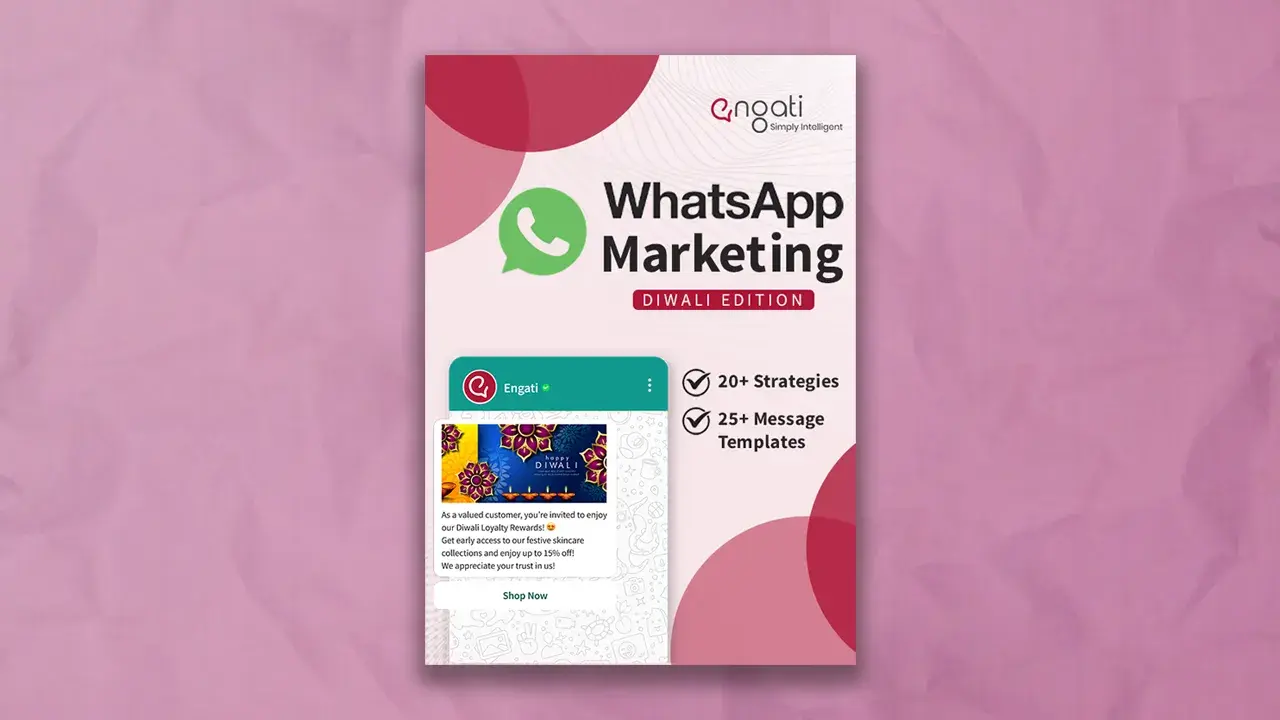
Want our extensive festive ebook? It contains 20+ detailed WhatsApp Marketing Strategies along with templates. Click here to download!
WhatsApp bulk messaging is a very effective way to reach your audience and to get good response. You can send WhatsApp bulk message using WhatsApp Business API. With Engati is is very easy to send bulk WhatsApp message without adding contact in your phone.
Whatsapp Marketing
Discover how to set up, use, and get a verified WhatsApp Channel for your business . Enhance customer engagement and streamline communication effortlessly.
Whatsapp Marketing
Learn how to create a WhatsApp bot in 5 minutes with easy steps. Discover WhatsApp integration tips, explore use cases & get a chatbot demo with free trail.
Whatsapp Marketing
Is your WhatsApp number banned? Learn how to deal with whatsapp ban on your account with our step-by-step guide and effective unban request templates.