Whatsapp Marketing
Create WhatsApp Bot for Free in 5 Mins With No Code (2025)
Learn how to create a WhatsApp bot in 5 minutes with easy steps. Discover WhatsApp integration tips, explore use cases & get a chatbot demo with free trail.
One of the crucial steps while you create your chatbot is creating the chatbot flow. Your purpose of creating a chatbot cannot be fulfilled without having a relevant and good chatbot flow. Sometimes creating a chatbot flow can be very overwhelming, as there are end number of things that can be done and have to be done while interacting with your audience. But worry not, we will cover everything with an example so that you leave with a clarity after reading this blog.
Your chatbot has to feel like a natural to connect with your audience and chatbot flows plays a very important role in making that happen. To do that, you have created a chatbot flow taking into account every possible scenario that might possibly occur to make the entire journey for the user and for your team seamless.
In this article, we’re walking you through the art of building chatbot flows that feel right. Let’s get started!
A chatbot is a software that works as a replacement for your human agent. In order to make the conversation feel natural or for that matter, even to make the conversation happen, you need to program your bot to behave in a certain manner in a certain scenario. This is done via chatbot flow. A Chatbot flow basically outlines the steps and paths the conversation can take based on what the user says or selects.
Here's a simple breakdown:
A chatbot flow is a structure that determines how a chatbot conversation will take place, taking into account the questions your chatbot would ask and the various replies that a user could provide. A chatbot flow is a series of paths that a user’s responses could trigger.
Each path would consist of nodes that either display, request, or process information. Some of these nodes could even be used to integrate your chatbot with third-party software.
Any chatbot flow is based on three key factors - Triggers, Actions and Filters. Understanding these factors may come in handy while designing the chatbot flow.
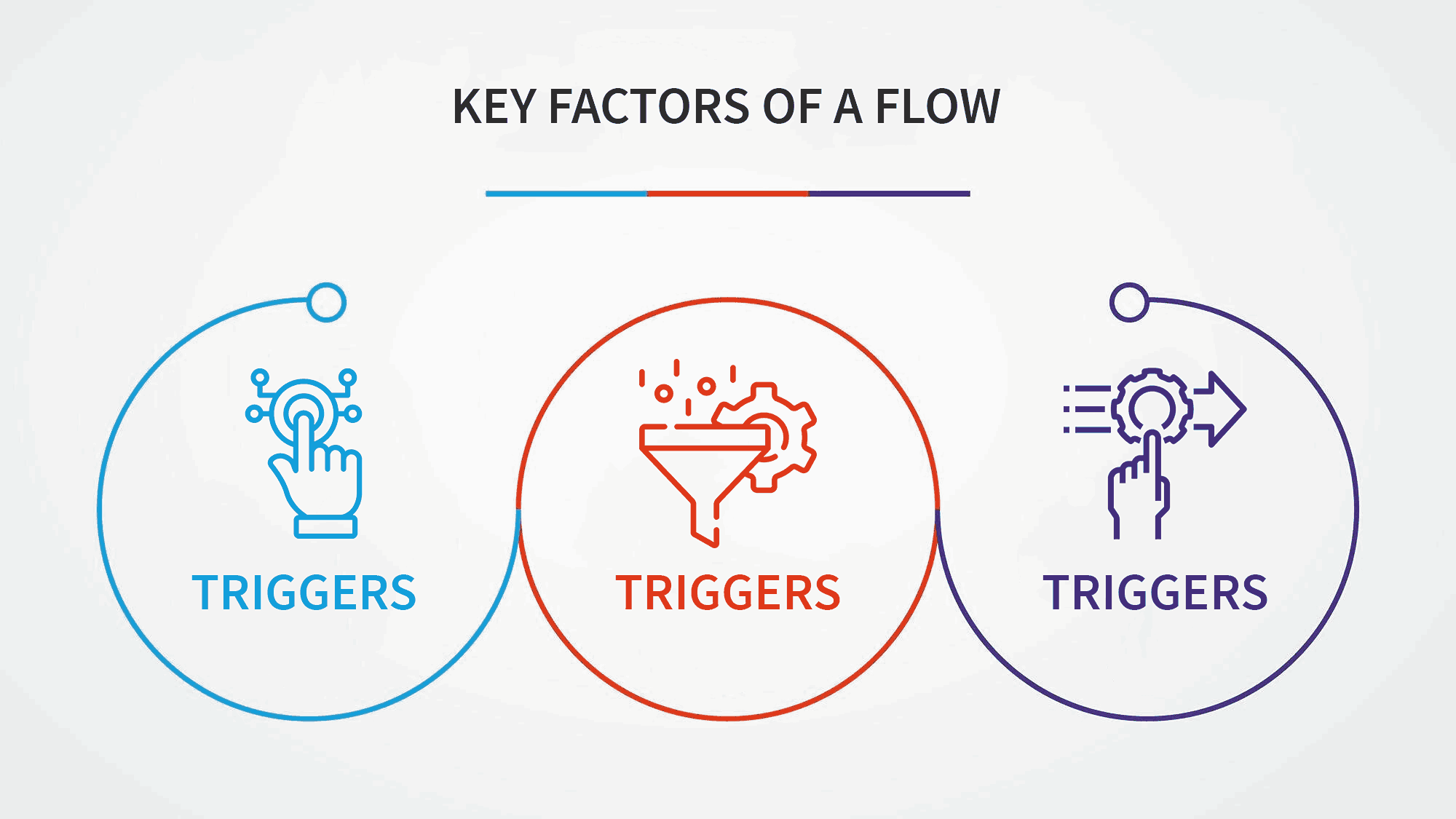
These factors help create a logical and user-friendly chatbot experience, ensuring that the bot responds appropriately and efficiently to different scenarios.
Determine what you intend your chatbot to do. I’m not saying that your bot has to have only one goal. It can have multiple objectives, but you need to outline them clearly. This is the foundation upon which you will build all your chatbot flows.
Do you need a conversational UI to drive sales? Maybe you need it to schedule appointments. Perhaps you want to use these virtual assistants for 24/7 customer service.
Whatever your goals are, you need to define them clearly.
For example: upGrad, a leading player in the Ed-tech space. It uses us (Engati) as their chatbot partners and this is what the goal of their chatbot is:
You see, how the picture has become more clear now. Once the purpose is clear you can think of all the possible scenarios that might occur which can be used to create a seamless chatbot flow.
In order to humanize your chatbot you will have to have a personality of your chatbot. Imagine a person representing your company, how would it be? (It’s recommended to keep your chatbot persona as your brand persona).
Give your chatbot a name, and give it some traits. It can be formal, casual, witty, etc. It will help your bot to connect with your audience effectively and make the interaction more engaging.
You don’t want to leave your customers talking to a dull bot. You need to give your bot a personality, preferably one that matches your brand. Give your bot a persona and a story.
Once you have decided the purpose and personality of your bot, now it's time to create a roadmap of how the conversation would look like. Create a chatbot flow diagram mapping out how the conversation will flow. You can use pen and paper to make a rough diagram. You don’t need to fill in the actual responses just yet. Just keep the general purpose of the message in mind.
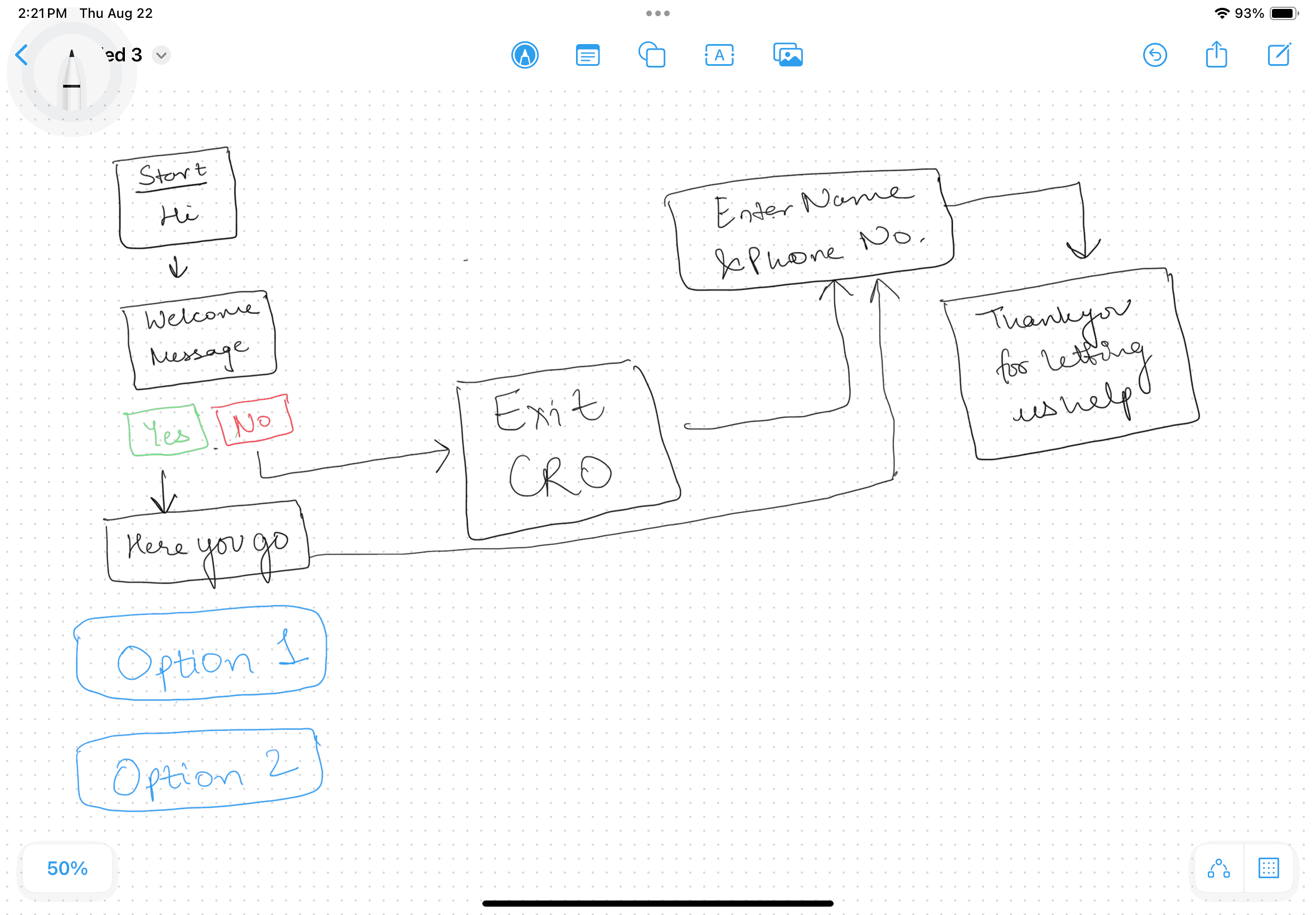
After the rough diagram, you can further refine it on draw.io for better understanding and clarity.
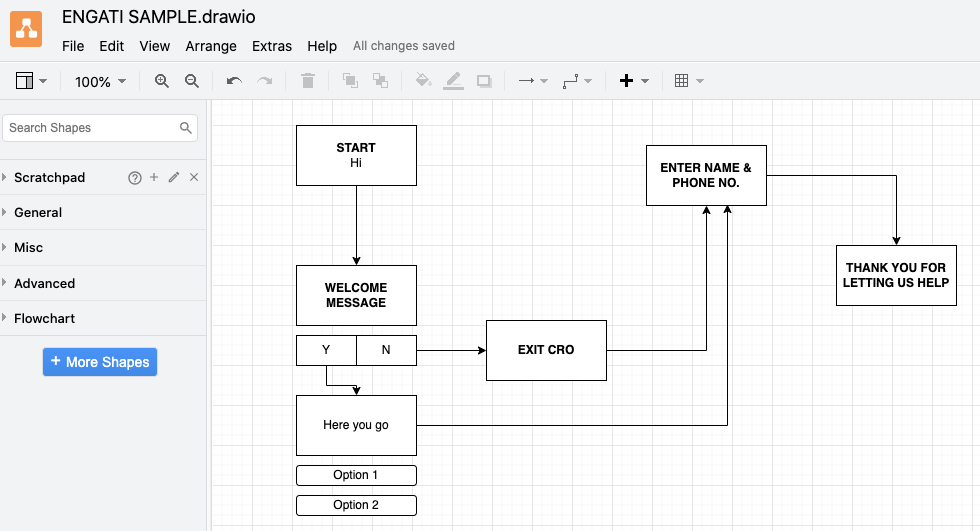
Write down all the scenarios that might come up when someone interacts with your chatbot. Also keep in mind the purpose of the bot and then think. Put yourself in your customer’s shoes and think of all the scenarios that might occur, what would they ask, how would they reach a certain message, what would you do if they select a certain option, what your bot should do if it is unable to answer, etc. etc…
Keep in mind these key elements of a conversation:
Example: "Hi there! Welcome to our store. How can I assist you today?"
Example: "Could you please tell me your order number so I can check the status?"
Example: "Your package is on its way and should arrive by Friday."
Example: "Is that the correct address for delivery?"
Example: "I’m sorry, I didn’t catch that. Could you please try rephrasing your question?"
Example: "Sorry about that! It seems I can’t help with that request, let me connect you with our agent."
Example: "Would you like to see our latest products or speak with a customer service representative?"
Example: "Thanks for chatting with us! If you need anything else, feel free to reach out. Have a great day!"
Once this is done, you can replicate this on Engati’s no-code visual flow builder.
Engati is a conversation automation platform. We provide one of the best no-code enterprise grade integrated chatbot and live chat platforms.
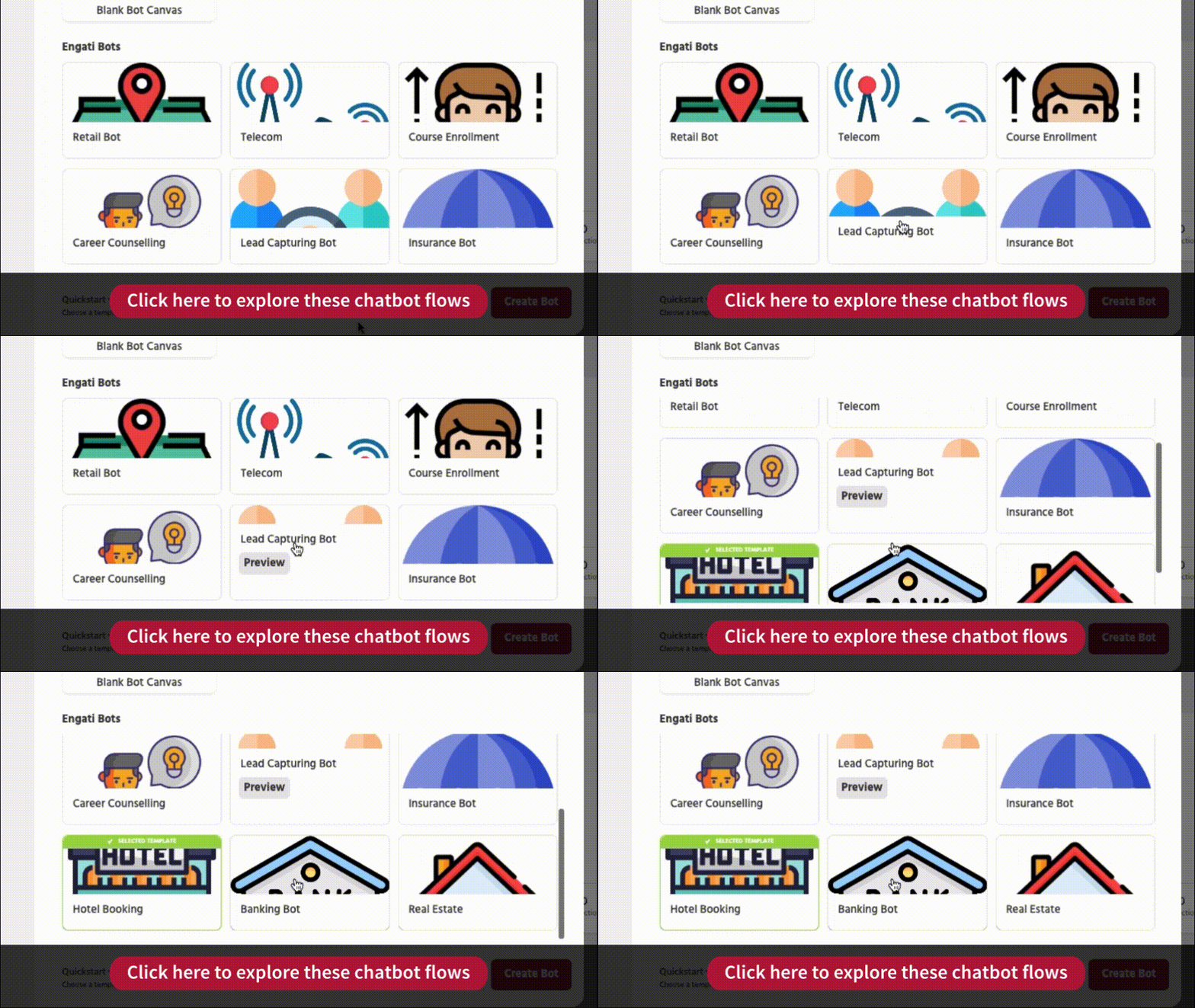
Engati has some pre-made chatbot flows for different industries. You can either use them with small tweeks or create an entirely new flow from scratch.
With Engati, making a chatbot flow is super easy. All you have to do is drag and drop.
There are two main things to know while creating a chatbot flow -
Paths consist of all the steps a chatbot will follow in a certain scenario. whereas , steps a
Steps are the actions a chatbot will take in a particular scenario. All this step for one scenario is called path.
Lets understand this with a simple example.
Scenario 1: A user is on your chatbot for the first time.
These are the steps that might be there -
Scenario 2: A user returns to your chatbot.
These will be the steps:
Here the two scenarios are basically two different paths. Scenario 1 is a path which we can give a name as - ‘New user’ and scenario 2 can be named as - ‘Return user’.
Combination of these steps and paths to make the user journey seamless is called the chatbot flow. While you could build your entire chatbot flow in a single path, that isn’t the best idea. Creating separate paths for different scenarios will make it easier for you to understand your flow and edit it in the future. These paths can be connected using the Trigger Path node.
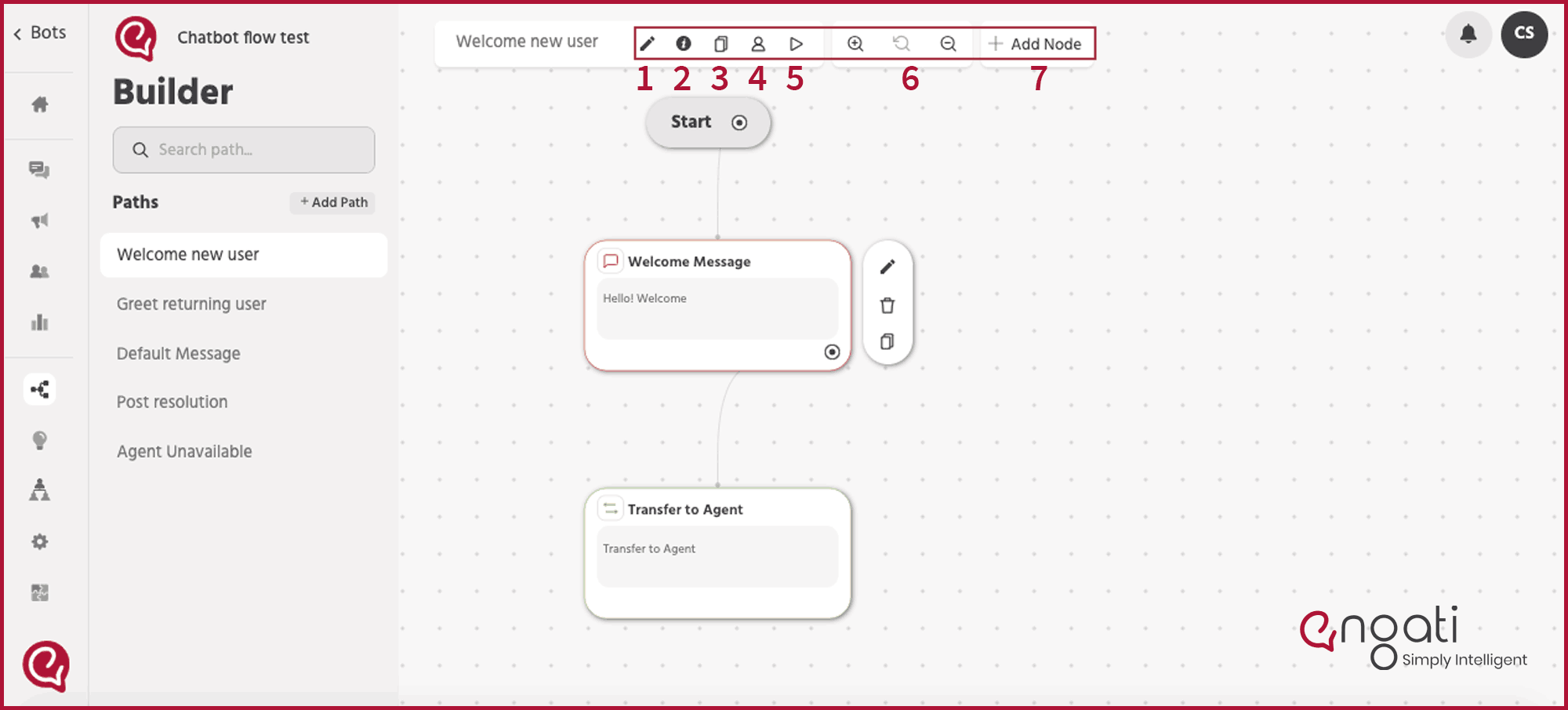
Before diving into how to create a chatbot flow, let’s get familiar with the interface and features that Engati has to offer.
1. This is the Path catalog.
All the different paths you create can be seen here.
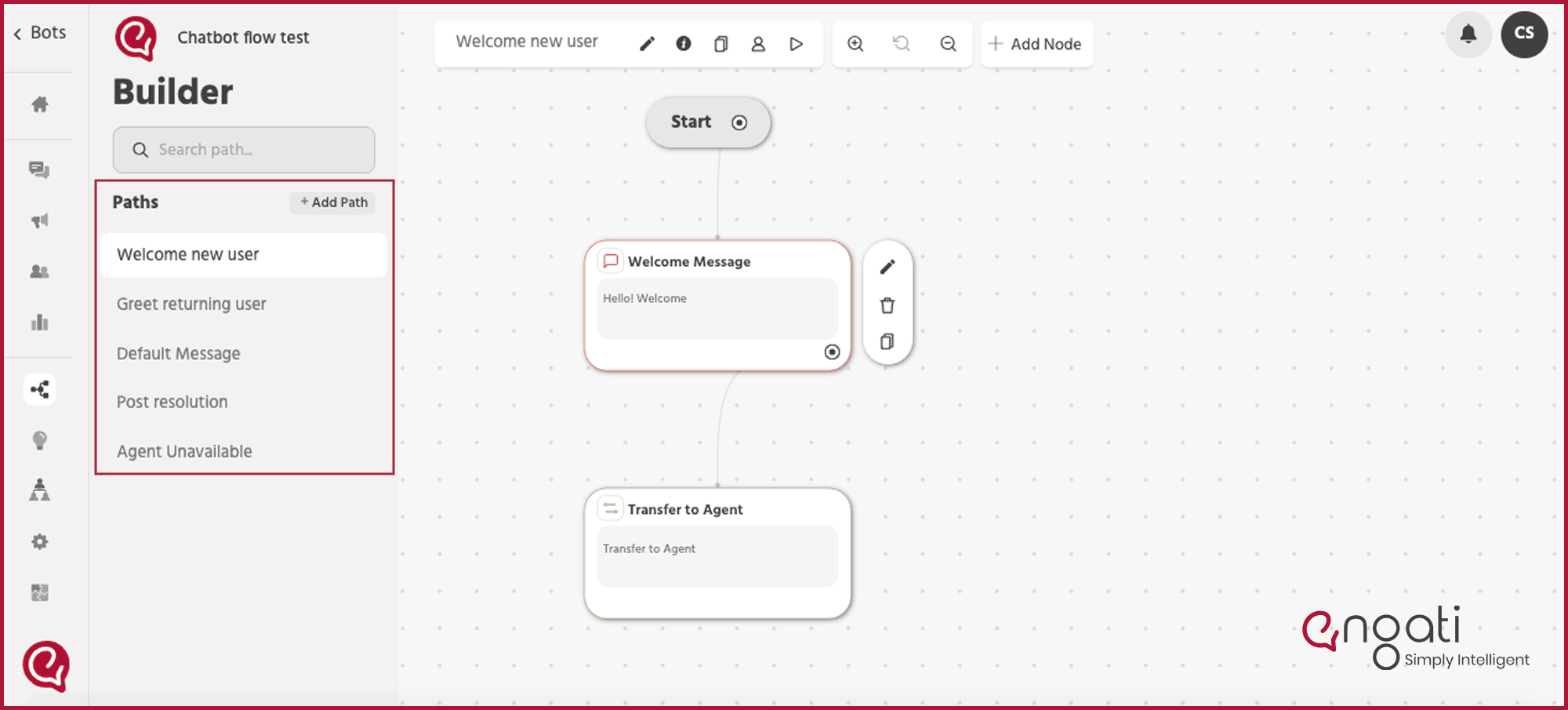
2. This is the tool bar
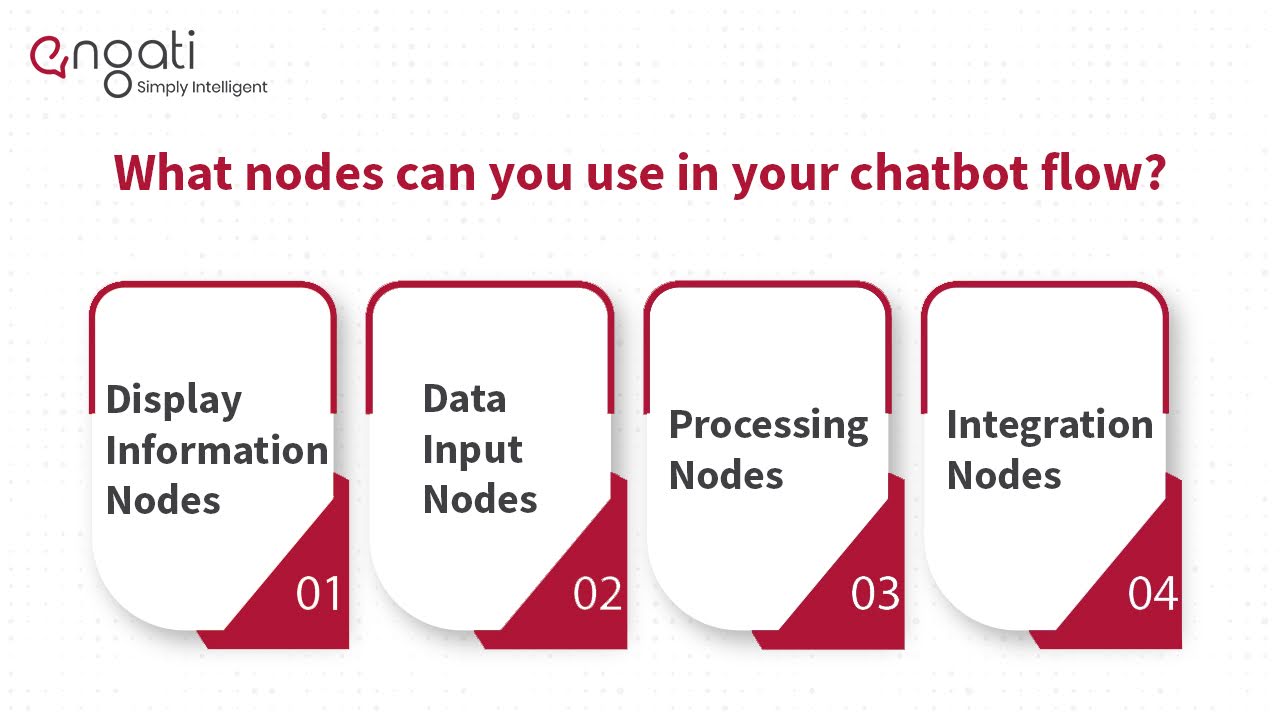
With Engati, there are a lot of nodes you can choose from. This makes it very flexible to build any kind of chatbot flow that you want no matter how complex it is. These nodes can be segmented into four categories:
And these are all the nodes that are available in Engati:

1. Display Information Nodes
These nodes are used to present information to the end-user.
2. Data Input Nodes
You can use these nodes to collect information from end-users.
3. Processing Nodes
These nodes help you handle & process information and make conversation flow branching decisions.
4. Integration Nodes
These nodes allow you to extend your marketing and support systems by integrating them with Engati.
Now that you are familiar with the interface and all the features, let's get started with real work.
Let’s create steps of conversation flow for your chatbot. For this sample flow we will use the diagram that we created before.
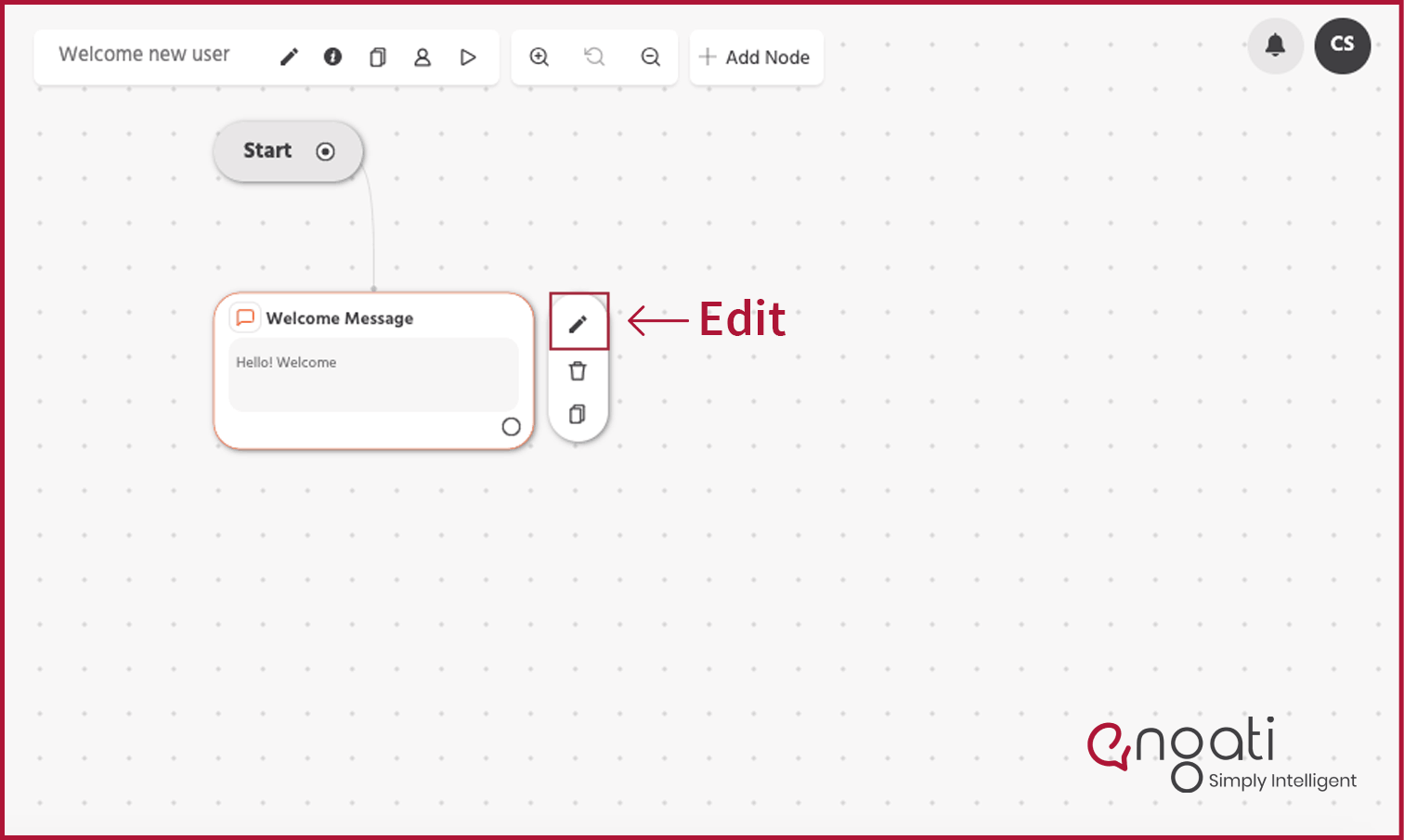
Step 1: Initial action is already created for you. You can edit the message by clicking on the edit button on the side.
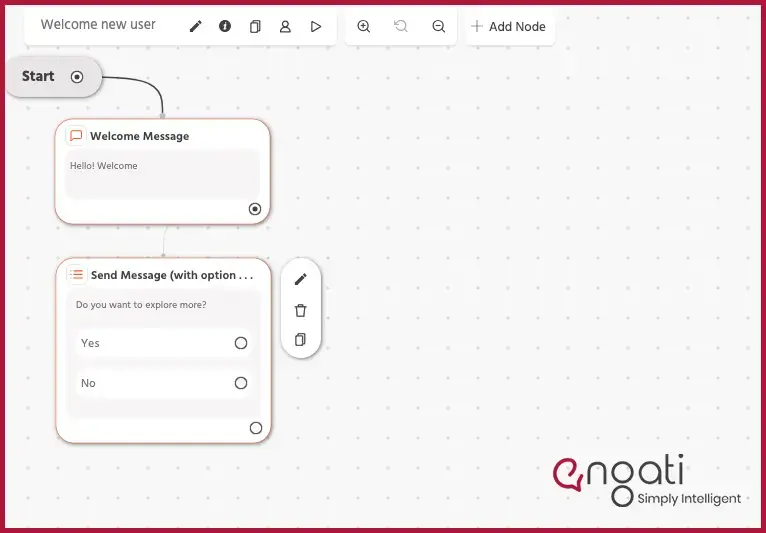
Step 2: Adding a ‘Display node’ that allows you to send messages with options.
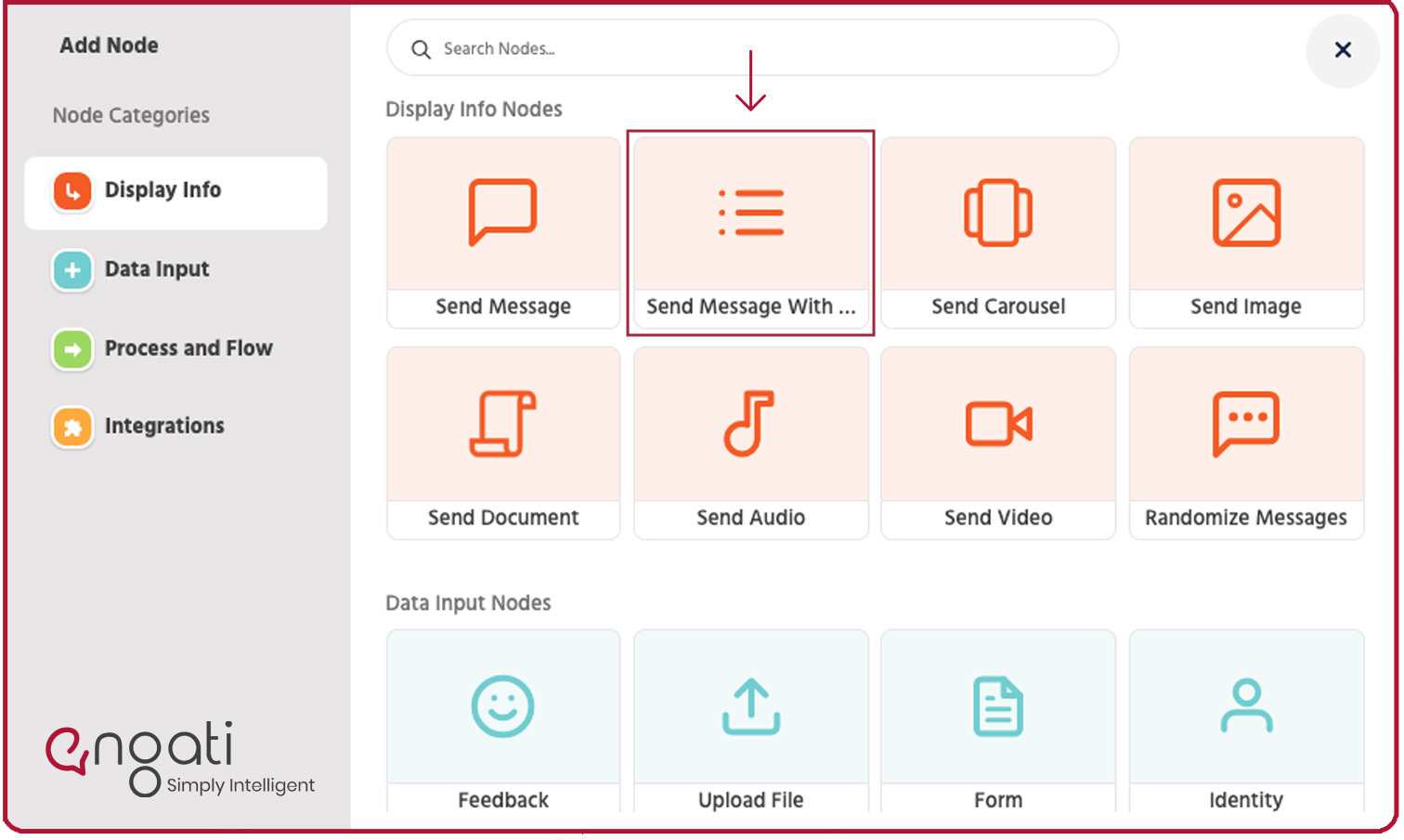
It will look something like this:
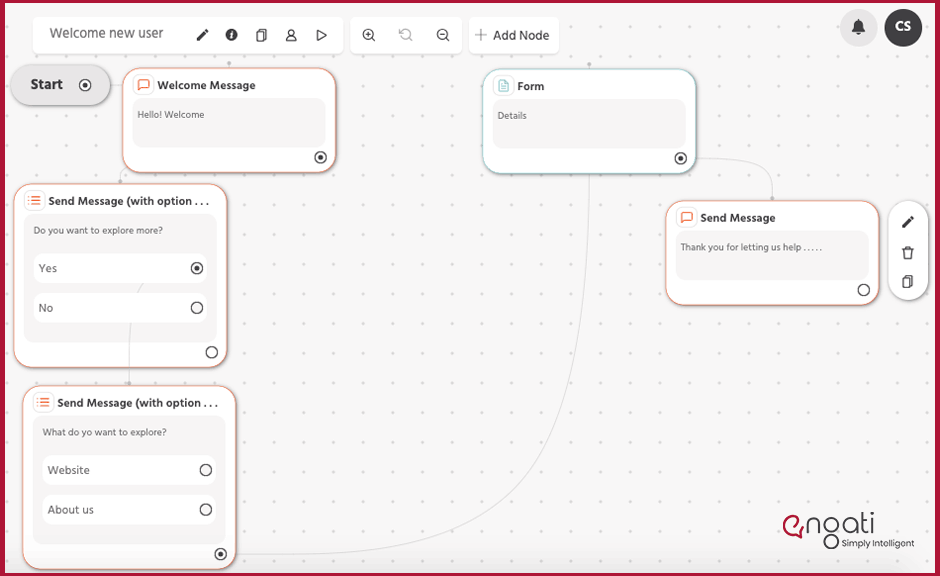
Step 3: Add a ‘Steps’ for someone who selects ‘Yes’.
Your flow would look like this:
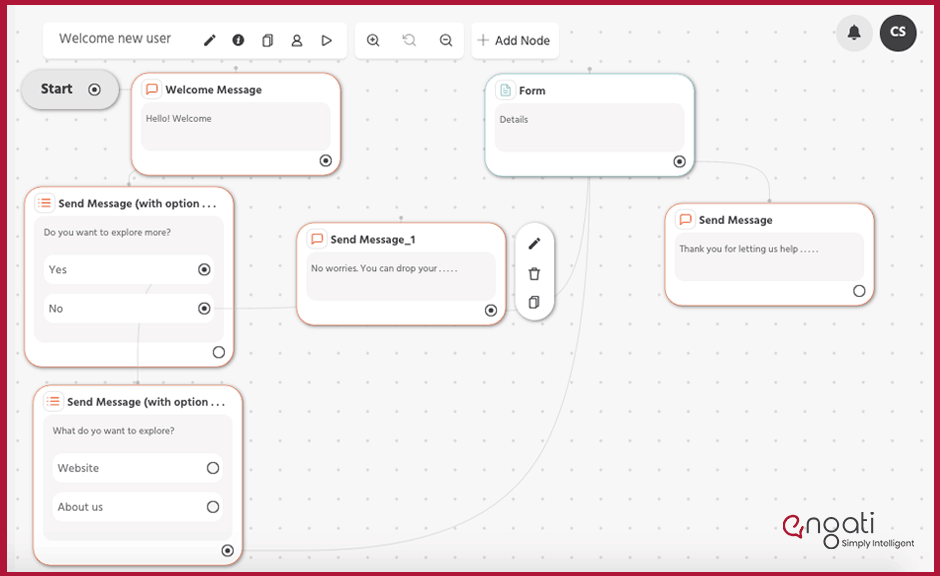
Step 4: Add ‘Steps’ for someone who selects ‘No’
Your flow would look something like this:
Once you’re done making your flow, proceed to polish the messages in the nodes. Make sure that they match your bot’s personality.
Now, it’s time for you to test your flow. You can test individual paths by pressing the play button on the top left corner of your path builder.
If you still have some queries and want our experts to walk you through the process tailored just for your business, we will be more than happy to.
Well creating the flow is not it. In order to make that flow work, you need to train your bot and fill it in with information about your company or store and the purpose of your chatbot. Building your chatbot flow is not a one-and-done task. You need to keep improving it as your customers, and your business evolve.
Lucky for you, with Engati you can train your chatbot in two different ways without puting in any manual or technical efforts.
First, you can upload FAQs either individually or in bulk.
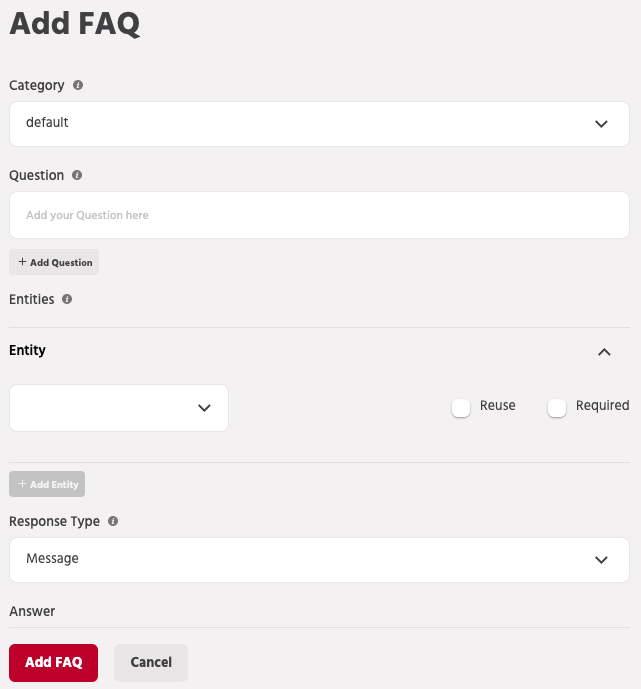
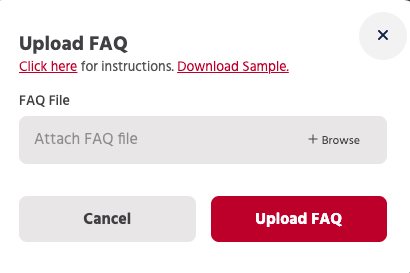
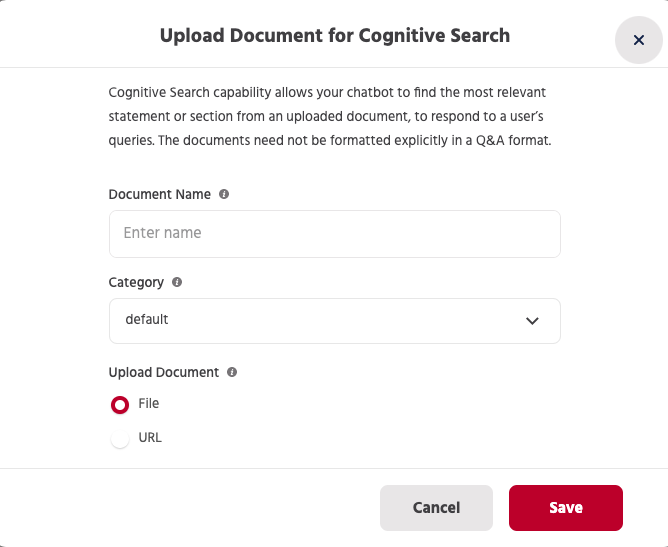
However, you don’t need to upload these FAQs manually. With Engati’s DocuSense technology, you can automate the training process. All you need to do is upload your documents. Your chatbot will use cognitive search to parse through your documents, 12 pages every 8 seconds. It will pull answers directly from your documents and deliver them to your customers.
And the best part? You don’t even need to format your documents into questions and answers.
Now that you know how to build a chatbot flow, it’s time to address another question.
Too many companies allow their chatbot flows to end abruptly after a user’s questions are answered. That’s far from ideal.
It feels unnatural. Worse, it looks as though you though care enough about your customers.
Make sure to conclude the conversation by thanking your users for giving you the opportunity to help them. And don’t forget to let them know that you’re always there for them, just one message away.
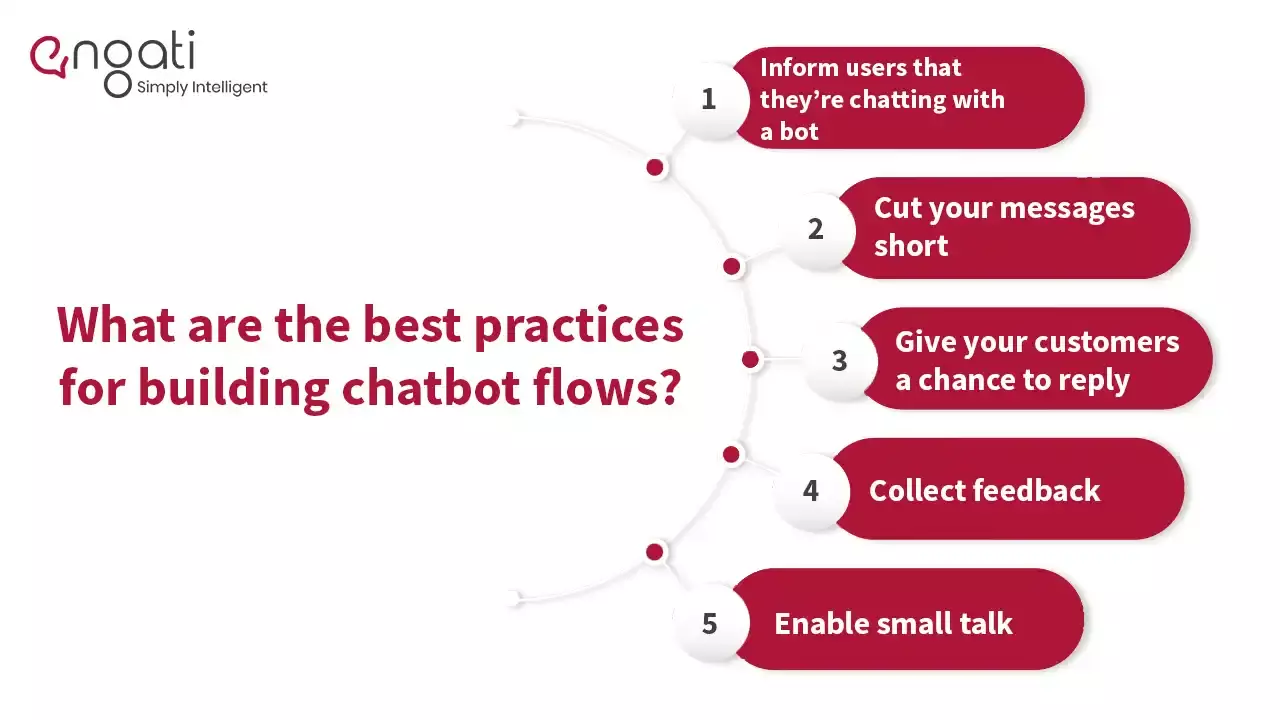
Do not mislead users into thinking that they’re chatting with a human. Let them know that they’re conversing with an intelligent bot, and if need be, you can route them to a live agent.
You wouldn’t want to read a message that looks like a massive chunk of text. Don’t force your customers to do that either.
Don’t send too many messages in rapid succession. Give your customers a chance to read them and respond.
Ask your customers how they felt about their interaction with your bot. You can use the feedback node to collect ratings. You can even ask them for subjective feedback. This will not only help you improve your chatbot conversation flow, but it will also make your customers feel like you care about them.
Don’t assume that your customers just want to talk business and keep it to the point. Your bot should be able to respond to questions like “How are you doing?” or “Good morning.”
All you have to do is go to the Conversations section in the Configure tab and enable small talk.
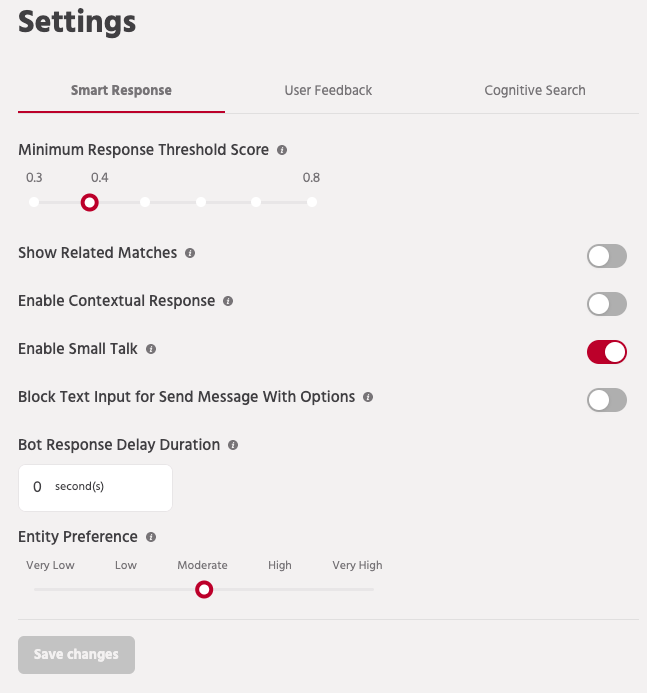
There you have it. Everything you need to build chatbot flows that your customers will love. Now it’s time to give it a shot yourself. Try Engati’s visual chatbot flow builder today! Click here to Sign-Up for free.
Whatsapp Marketing
Learn how to create a WhatsApp bot in 5 minutes with easy steps. Discover WhatsApp integration tips, explore use cases & get a chatbot demo with free trail.
Chatbot
Learn how to create a chatbot with nocode in simple steps. Also explore three methods you can train and deploy your chatbot as per your business needs.
Drive to Reimagine
A chatbot is a service, powered by machine learning algorithms and artificial intelligence that you interact with, via a conversational chat interface.