Whatsapp Marketing
Create WhatsApp Bot for Free in 5 Mins With No Code (2025)
Learn how to create a WhatsApp bot in 5 minutes with easy steps. Discover WhatsApp integration tips, explore use cases & get a chatbot demo with free trail.
You're in the middle of an important conversation on WhatsApp, and suddenly, a WhatsApp error message pops up on your screen. There are so many different errors and I completely understand how frustrating these WhatsApp errors can be. Especially when you do not know the reason behind it and how to resolve it.
But don't worry! In this blog, we're understanding all different WhatsApp error codes, what they mean and how to fix them.
WhatsApp error codes are basically different numbers WhatsApp has given to identif different WhatsApp errors that occur while using the app. These codes help users and developers diagnose problems and find solutions. WhatsApp errors can occur for many reasons. This ranges from connectivity issues to authentication problems, and they can affect both regular WhatsApp users and WhatsApp Business accounts.
Below are some of the most common error codes you might encounter while using WhatsApp. Each error code is listed with its meaning and possible solutions to help you resolve the issue quickly.
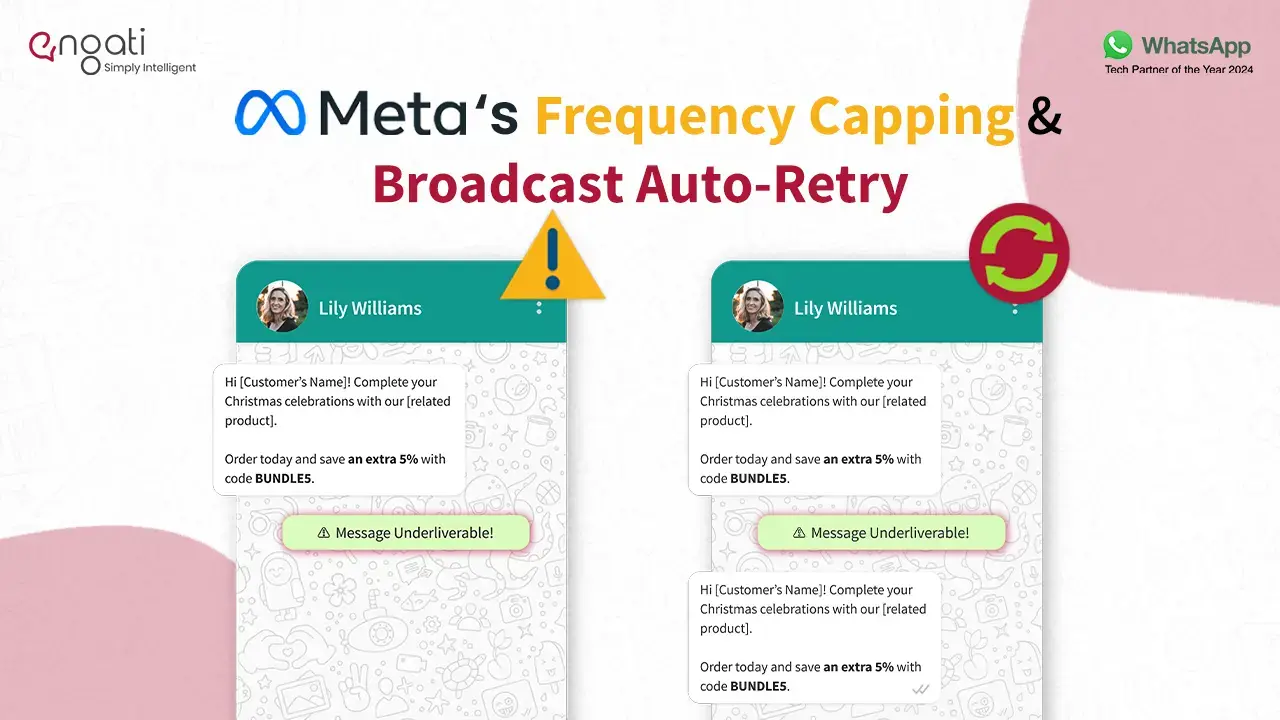
Meaning: Frequency Capping puts a limit on the number of marketing messages a user can receive from brands in a specific time frame.
Solution: Wait for some time and try again. You can either do it manually or automate the process with broadcast auto-retry where in case of the above error, your message is resent to the user again after a certain period of time.
Meaning: Backups are essential for saving your chats, and if they aren't functioning, you might lose important messages.
Solution: Check if you have enough storage on your device and in your cloud storage (Google Drive or iCloud). Also, review your backup settings in WhatsApp.
Meaning: If you can't download images or videos, it may be due to insufficient storage or app settings.
Solution: Ensure you have enough space on your device. Clear the app’s cache or adjust the media auto-download settings to fix this.
Meaning: The app may crash due to software issues or conflicts with other applications.
Solution: Make sure you have the latest version of WhatsApp installed. Consider uninstalling any recent apps that might be causing the problem.
Meaning: Your contacts may not appear in WhatsApp if the app doesn’t have permission to access them.
Solution: Go to your phone’s settings, enable contact access for WhatsApp, and restart the app to sync your contacts.
Meaning: You might face issues updating your profile picture if it doesn't meet WhatsApp’s requirements.
Solution: Ensure the image is within the allowed size and format. If it doesn’t work, clear the existing profile picture and try again.
Meaning: WhatsApp Web may not function if your phone isn't connected to the internet.
Solution: Check your phone's connection, open WhatsApp, and scan the QR code on the WhatsApp Web page.
Meaning: Video calls may fail to connect due to internet issues or permission settings.
Solution: Ensure your internet connection is stable and check camera permissions. Restart the app or update your phone's operating system if needed.
Meaning: Issues playing audio messages can arise from speaker or headphone problems.
Solution: Verify that your phone's speaker or headphones are functioning. Restart WhatsApp, and consider updating your audio drivers if necessary.
Meaning: Changing your phone number in WhatsApp can be challenging if the new number isn't set up correctly.
Solution: Make sure your new number is active and can receive SMS. Follow the in-app instructions carefully to update your number.
Meaning: If you aren't receiving notifications, it might be due to incorrect settings.
Solution: Check both your phone's and WhatsApp's notification settings to ensure notifications are allowed.
Meaning: If you're unable to create or join groups, it could be due to an outdated app version.
Solution: Ensure you are using the latest version of WhatsApp. Restart your phone, and if the issue continues, clear the app's cache.
Meaning: A slow WhatsApp experience might be caused by low storage or app cache buildup.
Solution: Remove unnecessary files from your device and clear the app’s cache to enhance performance.
Meaning: Messages may seem to vanish, but they might just be temporarily hidden.
Solution: Check if the “Archive Chat” feature is enabled, or search for specific messages using the search bar.
Meaning: WhatsApp may ban accounts that violate its policies, leading to access issues.
Solution: If you think your account was banned unfairly, you can appeal the ban through WhatsApp’s support system to unbanned WhatsApp.
Meaning: If you're unable to locate a backup, it may be due to using a different number or device.
Solution: Ensure you are using the same phone number and device that created the backup, and verify your cloud storage account is linked to WhatsApp.
| Error Code | Meaning | Possible Solution |
|---|---|---|
| 0 | AuthException - Unable to authenticate the app user. | Obtain a new access token if the current one has expired. |
| 3 | API Method - Capability or permissions issue. | Verify app permissions using the access token debugger. |
| 4 | API Too Many Calls - App has reached API call rate limit. | Wait and reduce the frequency of API calls. |
| 10 | Permission Denied - Permission has been revoked. | Check access permissions and settings. |
| 190 | Access token expired - Your access token is no longer valid. | Get a new access token. |
| 131000 | Something went wrong - Unknown error occurred. | Retry the operation. If the issue persists, contact support. |
| 131021 | Recipient cannot be sender - Sender and recipient numbers are the same. | Ensure sender and recipient numbers are different. |
| 132001 | Template does not exist - The template is unapproved or doesn't exist. | Verify template approval and name. |
Understanding all the error codes can help you diagnose issues more effectively. Below is a comprehensive list of WhatsApp error codes, categorized by type, along with their meanings and possible solutions.
| Error Code | Meaning | Possible Solution |
|---|---|---|
| 0 | AuthException | Get a new access token if the previous one has expired or is invalid. |
| 3 | API Method | Verify permissions using the access token debugger. |
| 10 | Permission Denied | Check if required permissions are granted. |
| 190 | Access token has expired | Generate a new access token. |
| Error Code | Meaning | Possible Solution |
|---|---|---|
| 4 | API Too Many Calls | Reduce the frequency of API calls and try again later. |
| 80007 | Rate limit issues | Check your request volume and reduce it if necessary. |
| 130429 | Rate limit hit | Reduce the message frequency and try again later. |
| 131048 | Spam rate limit hit | Ensure your messaging practices comply with WhatsApp policies. |
| 131056 | (Business Account, Consumer Account) pair rate limit hit | Limit interactions to prevent exceeding rate limits. |
| 133016 | Account register deregister rate limit exceeded | Wait and try to register or deregister later. |
| Error Code | Meaning | Possible Solution |
|---|---|---|
| 368 | Temporarily blocked for policies violations | Review policy violations and rectify them. |
| 130497 | Business account is restricted from messaging users in this country | Check local regulations regarding messaging. |
| 131031 | Account has been locked | Review policy compliance and check the Health Status API for reasons. |
| Error Code | Meaning | Possible Solution |
|---|---|---|
| 1 | API Unknown | Check the WhatsApp Business Platform Status for server issues. |
| 2 | API Service | Wait and try again due to temporary downtime. |
| 33 | Parameter value is not valid | Verify the correctness of the business phone number and parameters. |
| 100 | Invalid parameter | Ensure all parameters are correctly spelled and supported. |
| 130472 | User's number is part of an experiment | Wait until the experiment concludes or opt-out if possible. |
| 131000 | Something went wrong | Retry after a short wait; if the issue persists, contact support. |
| 131005 | Access denied | Ensure your account has the necessary permissions. |
| 131008 | Required parameter is missing | Check for all required parameters and resubmit. |
| 131009 | Parameter value is not valid | Ensure all parameter values are correct and accepted. |
| 131016 | Service unavailable | Retry after a short period. |
| 131021 | Recipient cannot be sender | Verify the sender and recipient conditions. |
| 131026 | Message Undeliverable | Check the recipient's number and availability. |
| 131042 | Business eligibility payment issue | Check your payment settings and ensure all accounts are active. |
| 131045 | Incorrect certificate | Ensure your certificate is valid and correctly installed. |
| 131047 | Re-engagement message | Check compliance with WhatsApp's re-engagement policies. |
| 131049 | Meta chose not to deliver | Review content for policy compliance. |
| 131051 | Unsupported message type | Ensure that the message type is supported by WhatsApp. |
| 131052 | Media download error | Check network connection and media availability. |
| 131053 | Media upload error | Verify file size and format compliance. |
| 131057 | Account in maintenance mode | Wait until maintenance is complete before retrying. |
| 132000 | Template Param Count Mismatch | Ensure the correct number of parameters in the template. |
| 132001 | Template does not exist | Create or verify the existence of the specified template. |
| 132005 | Template Hydrated Text Too Long | Shorten the text to meet length requirements. |
| 132007 | Template Format Character Policy Violated | Ensure the template adheres to formatting policies. |
| 132012 | Template Parameter Format Mismatch | Correct any format issues with the template parameters. |
| 132015 | Template is Paused | Reactivate the template to resume usage. |
| 132016 | Template is Disabled | Enable the template to allow messaging. |
| 132068 | Flow is blocked | Review flow settings and permissions. |
| 132069 | Flow is throttled | Adjust the frequency of flow executions. |
| 133000 | Incomplete Deregistration | Retry the deregistration process. |
| 133004 | Server Temporarily Unavailable | Wait and try again later. |
| 133005 | Two step verification PIN Mismatch | Verify and input the correct PIN. |
| 133006 | Phone number re-verification needed | Follow the re-verification process to ensure account validity. |
| 133008 | Too Many two step verification PIN Guesses | Wait before attempting to enter the PIN again. |
| 133009 | Two step verification PIN Guessed Too Fast | Allow time between attempts. |
| 133010 | Phone number Not Registered | Ensure that the phone number is properly registered with WhatsApp. |
| 133015 | Please wait a few minutes before attempting to register this phone number | Wait for the specified time before trying again. |
| 135000 | Generic user error | Verify request parameters for correctness. |
Encountering errors while using WhatsApp can be frustrating, especially when you are left without any information of what and why is happening. By understanding these error codes, you can troubleshoot problems more efficiently and minimize downtime. Always remember to check your internet connection and ensure your app is updated to the latest version before diving into troubleshooting.
Whether you are using WhatsApp for personal chats or WhatsApp Business for your enterprise, knowing how to resolve these common errors can help you maintain seamless communication.
Whatsapp Marketing
Learn how to create a WhatsApp bot in 5 minutes with easy steps. Discover WhatsApp integration tips, explore use cases & get a chatbot demo with free trail.
Whatsapp Marketing
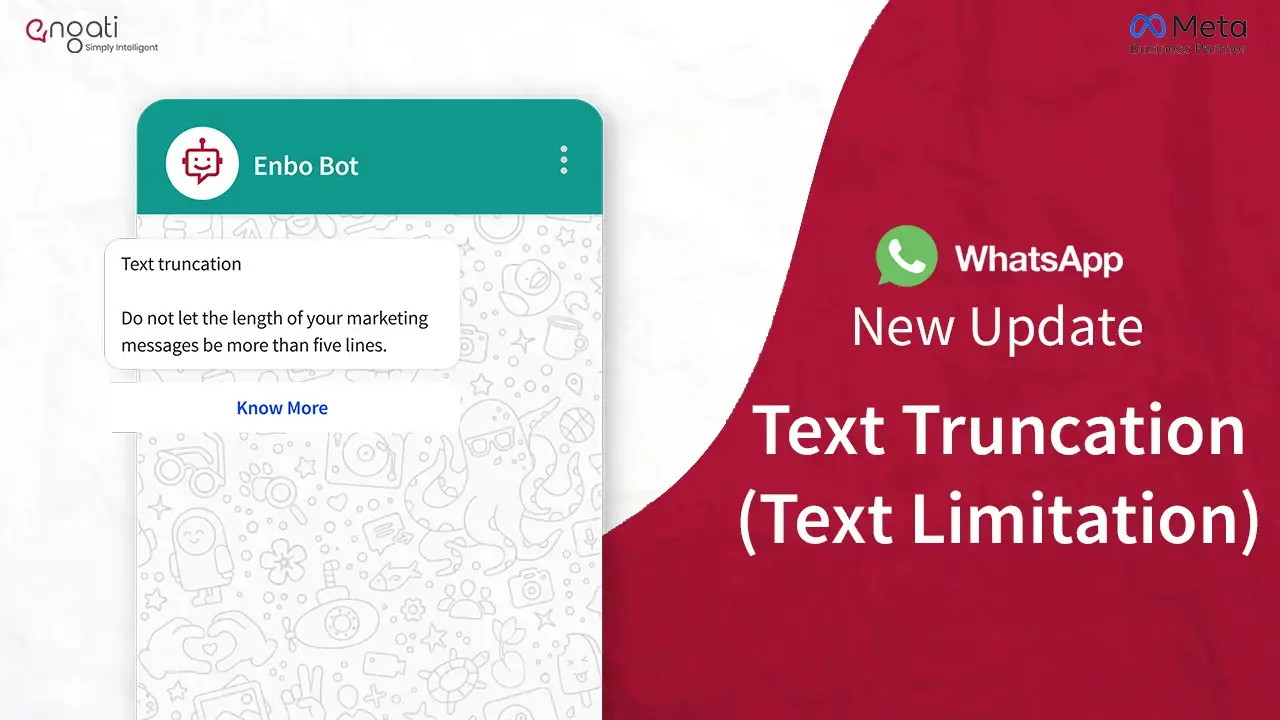
WhatsApp's latest update has introduced text truncation, limiting the length of marketing messages. Know why is this update for & how it impacted on businesses.
Whatsapp Marketing
Overcome Meta’s frequency capping with WhatsApp Broadcast Auto-Retry. Automate retries on failed marketing messages to boost delivery and engagement rates.