Tech Corner
How to Apply for Whatsapp Green Tick Verification in 2025?
Get WhatsApp Green Tick Verification for your account. This badge helps users identify your official account on WhatsApp. Checkout 5 steps for verified whatsapp
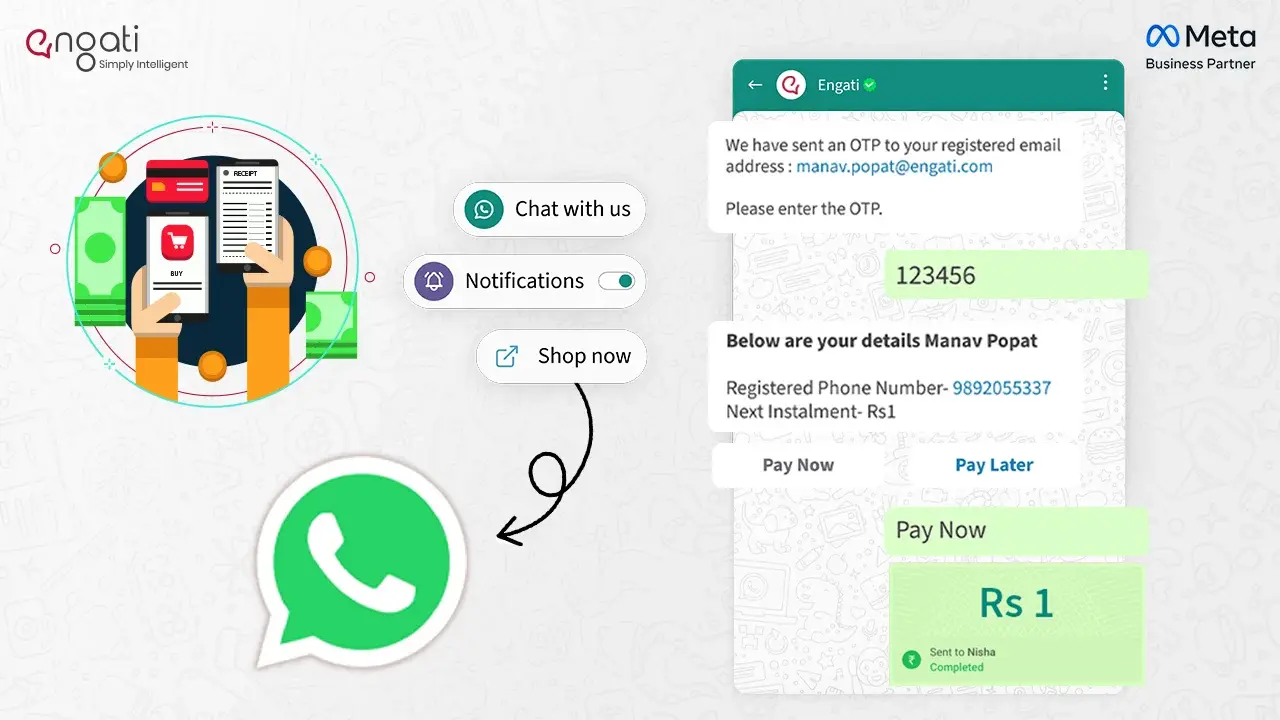
Imagine this, you are talking to a potential customer on WhatsApp. You showcase a few options on WhatsApp itself, by sharing the pictures. They selected one and want to make a purchase. There are two ways this can go further:
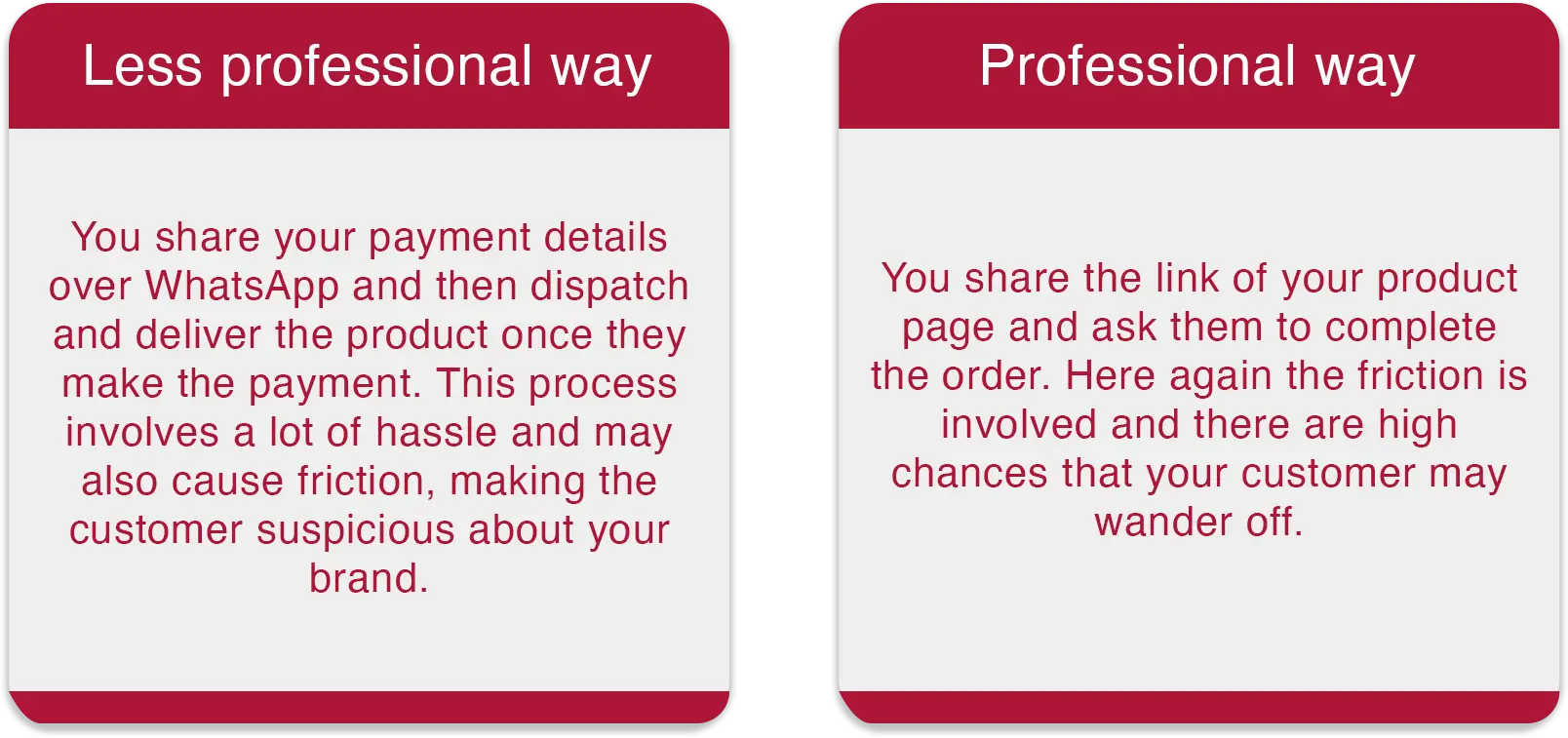
But wait, there is one more way.
You can use WhatsApp’s payment feature and make the customer complete the transaction which doesn’t involve any of the above hassle. All you need to do is share the particular product from a pre-made business catalog with WhatsApp business payment option. Customers go ahead and make the payment in the chat itself via an integrated payment method.
Confused? Let me explain. WhatsApp has introduced a new feature called WhatsApp Payments which allows the user to receive and pay with WhatsApp.
WhatsApp Payments was launched in February 2018 in India with partnership with ICICI Bank. It was just on a trial basis. WhatsApp got NPCI’s approval on 7th February, 2020 for digital payment services. Currently users in India, Brazil and Singapore can pay with WhatsApp.
WhatsApp payments is a feature of WhatsApp that allows users to receive and send money on WhatsApp chat. It operates via Universal Payment Interface (UPI). UPI allows the fund transfer to happen instantly without having to add any bank details directly using Virtual Payment Address (VPA). This makes it super easy for everyone to use 24/7 and 365 days of the year.
WhatsApp Pay comes packed with features that make sending and receiving money super easy and secure. Here’s a quick look:
WhatsApp Pay isn’t just another payment option; it offers several unique benefits that make it stand out:
Wondering how you can leverage WhatsApp payments for your business? Here are some practical ways to make the most out of it:
You can use WhatsApp's catalog feature to showcase your products directly in chats. Customers can browse and make purchases without leaving the conversation which will simplify the buying experience.
You can run Click-to-WhatsApp ads that allow customers to start a chat with your business and make a purchase. This streamlines the process from inquiry to order confirmation, making it easy to handle transactions.
Automate your order processing by integrating WhatsApp chatbots. The chatbot can guide customers, take orders, and complete transactions, making customer service efficient and scalable.
Send automated payment requests and reminders to your customers. This will ensure timely payments for your services or products without having to chase clients manually.
Keep your customers updated with instant payment confirmation notifications. This reassures them that their transactions have been processed successfully, boosting trust.
Offer an automatic checkout option where your customers can finalize purchases directly from the chat window, reducing friction and ensuring faster conversions.
Provide real-time updates on the status of payments and orders, giving your customers a transparent view of their purchase process, which improves overall satisfaction.
You can now send and receive payments directly through WhatsApp in India.
You are now ready to send and receive money securely through WhatsApp Pay in Brazil.
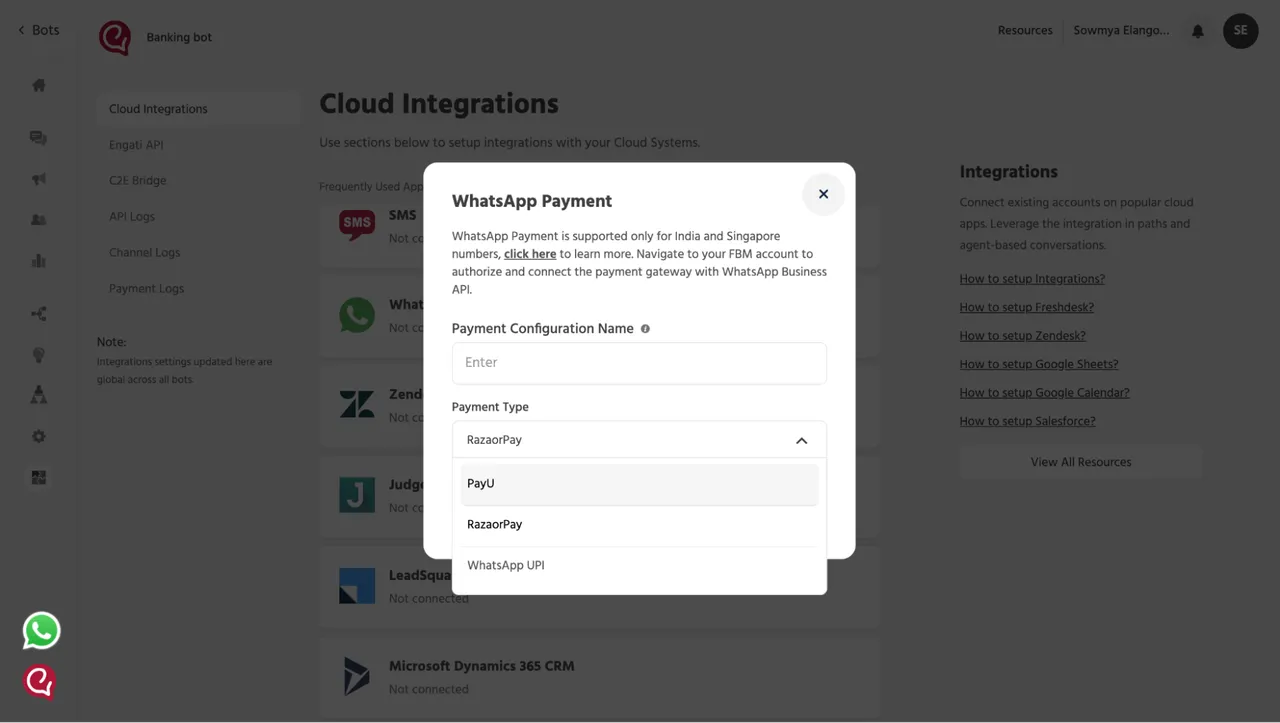
To enable WhatsApp Business payment option, Setting up whatsApp Payments is slightly complicated. But with Engati, you can do it seamlessly. WhatsApp uses payment gateways like Razor Pay and PayU for the transactions. With Exclusive partnership with Meta, Razor Pay and PayU, you can smoothly integrate them together to set-up your WhatsApp payments. Here is a step by step guide of how to receive payments on WhatsApp Business.
Step 1: Navigate to the following link: Link to Facebook Business Manager or select “Click here” from the Integration setup on Engati.
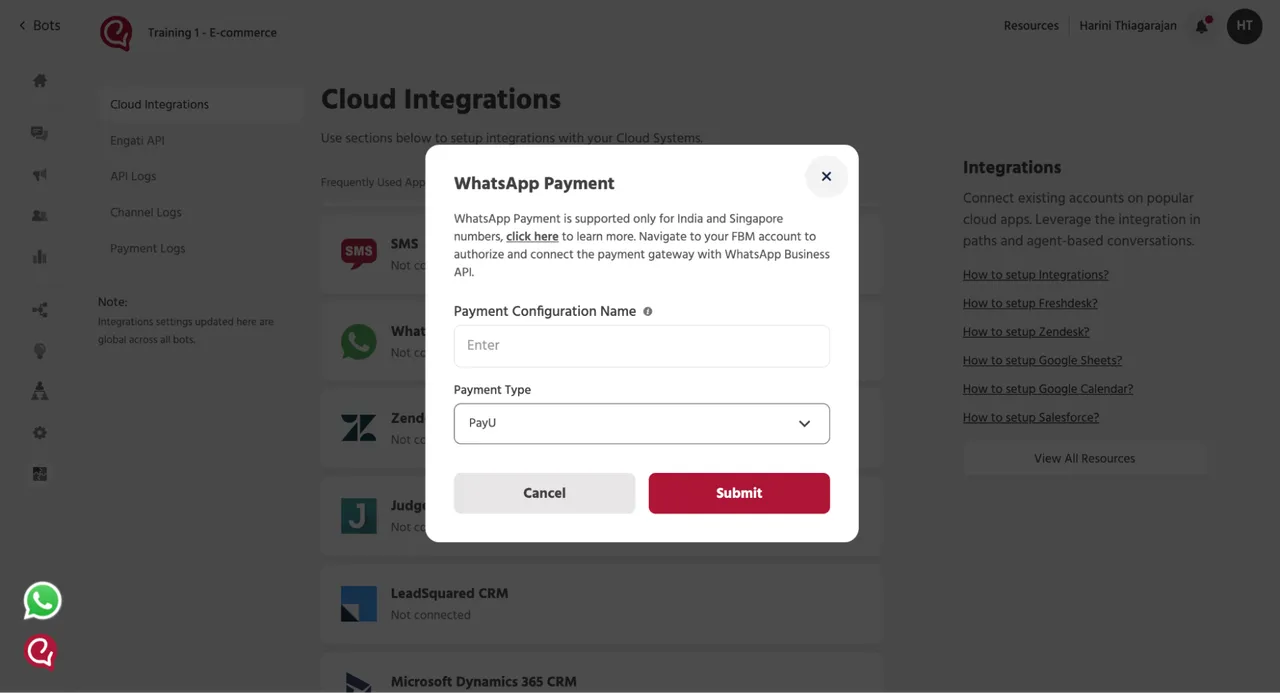
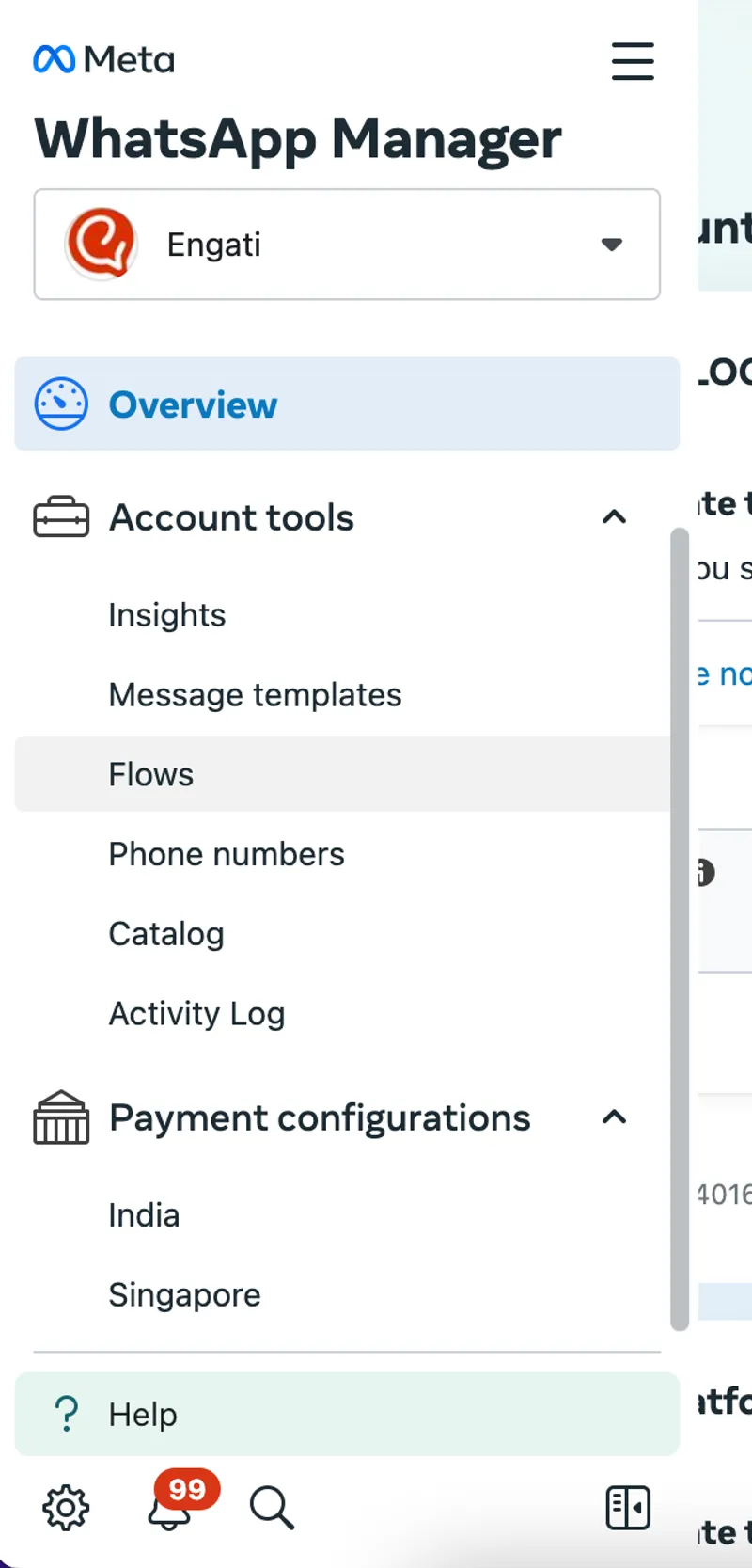
Step 2: Select "Payment configurations" followed by "India"
Step 3: Locate the valid WhatsApp Business Account (WABA)
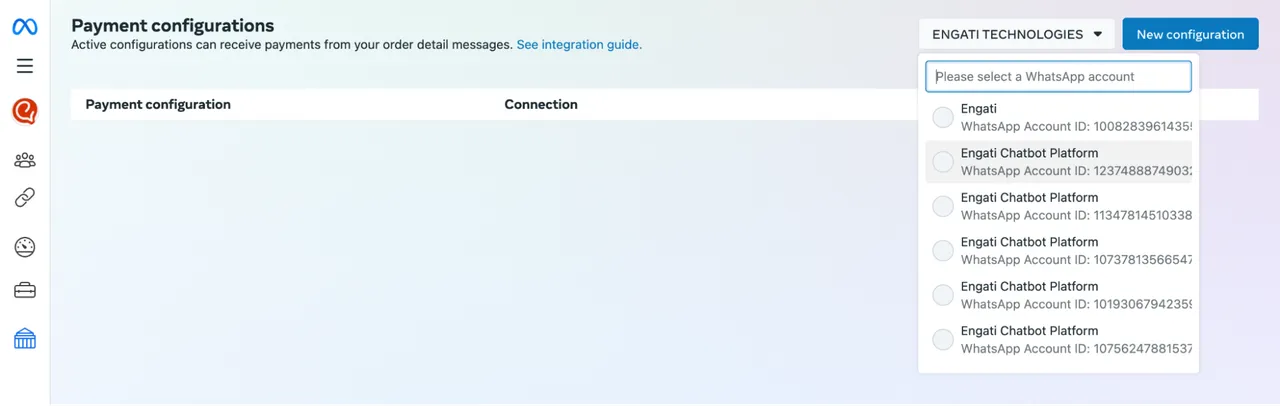
Step 4: Click on "New configuration" and proceed by following the provided steps:
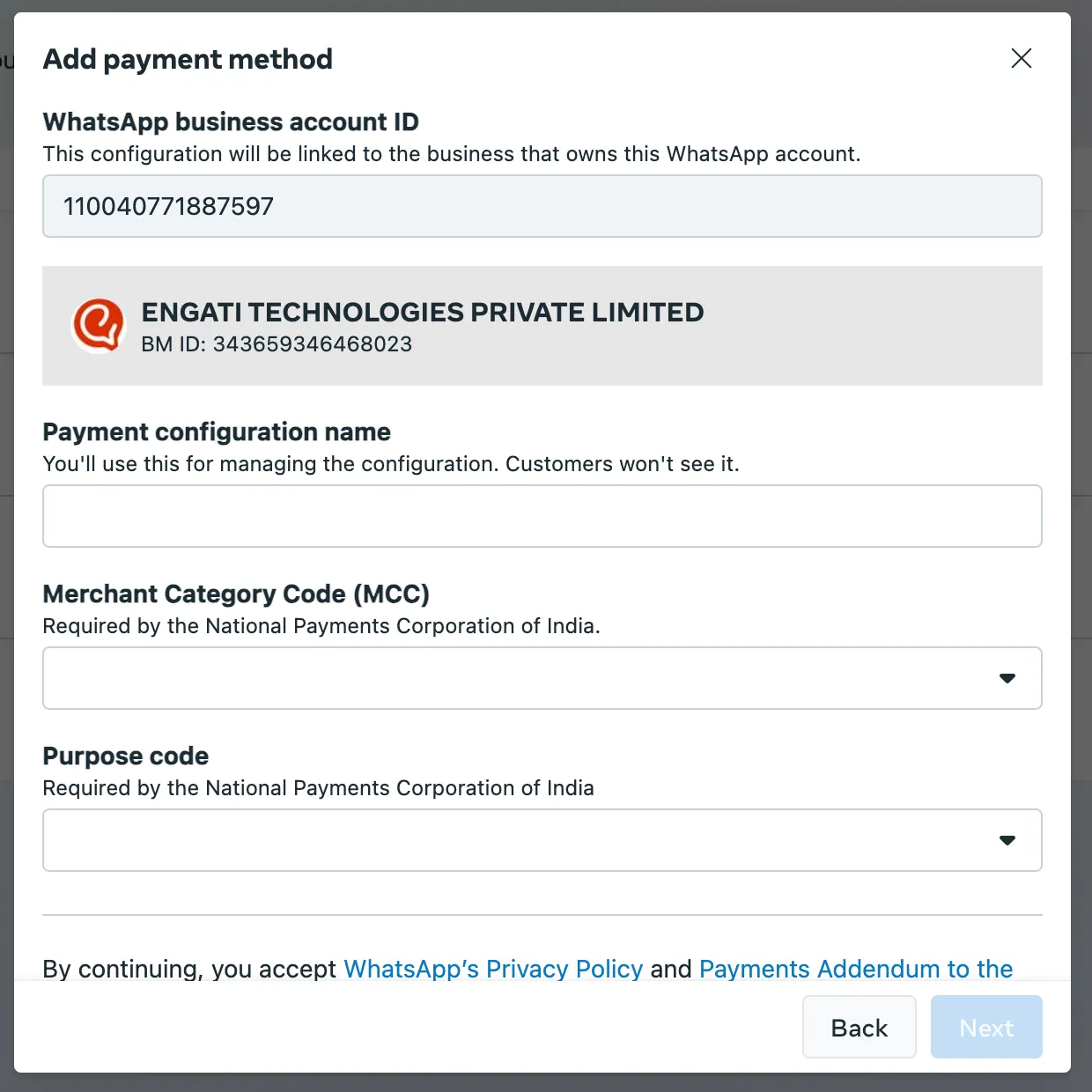
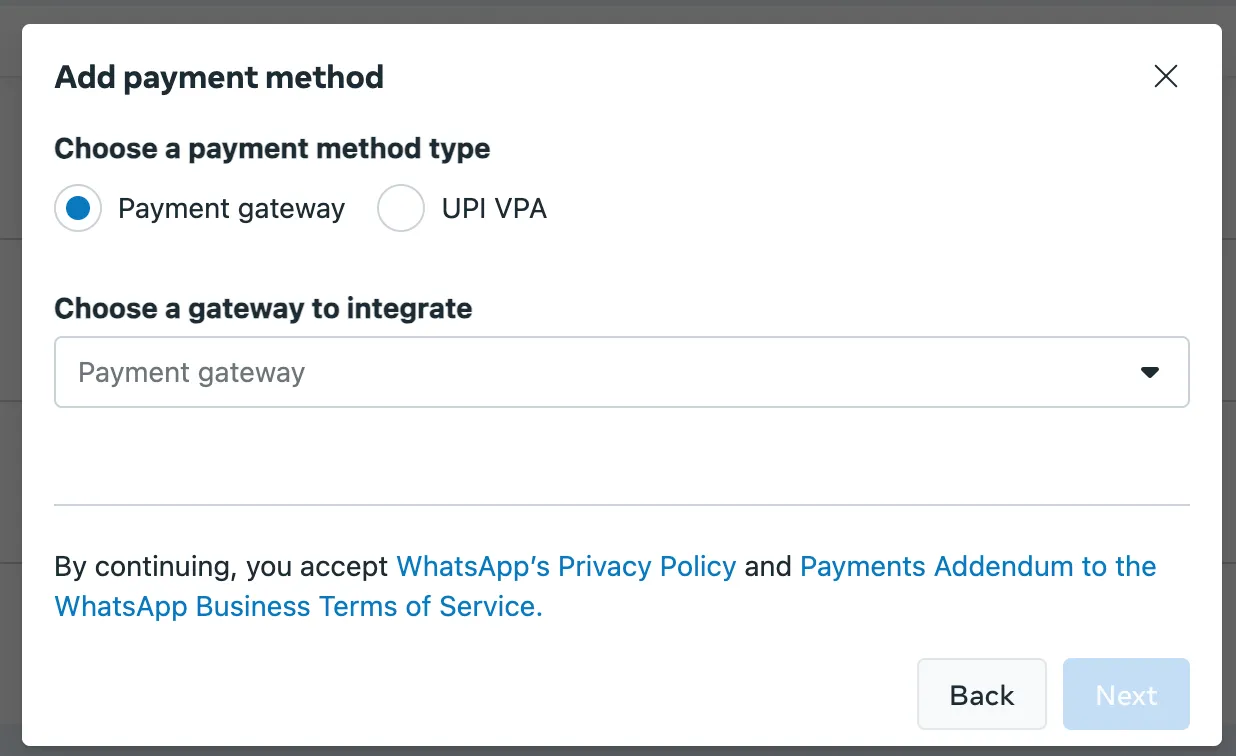
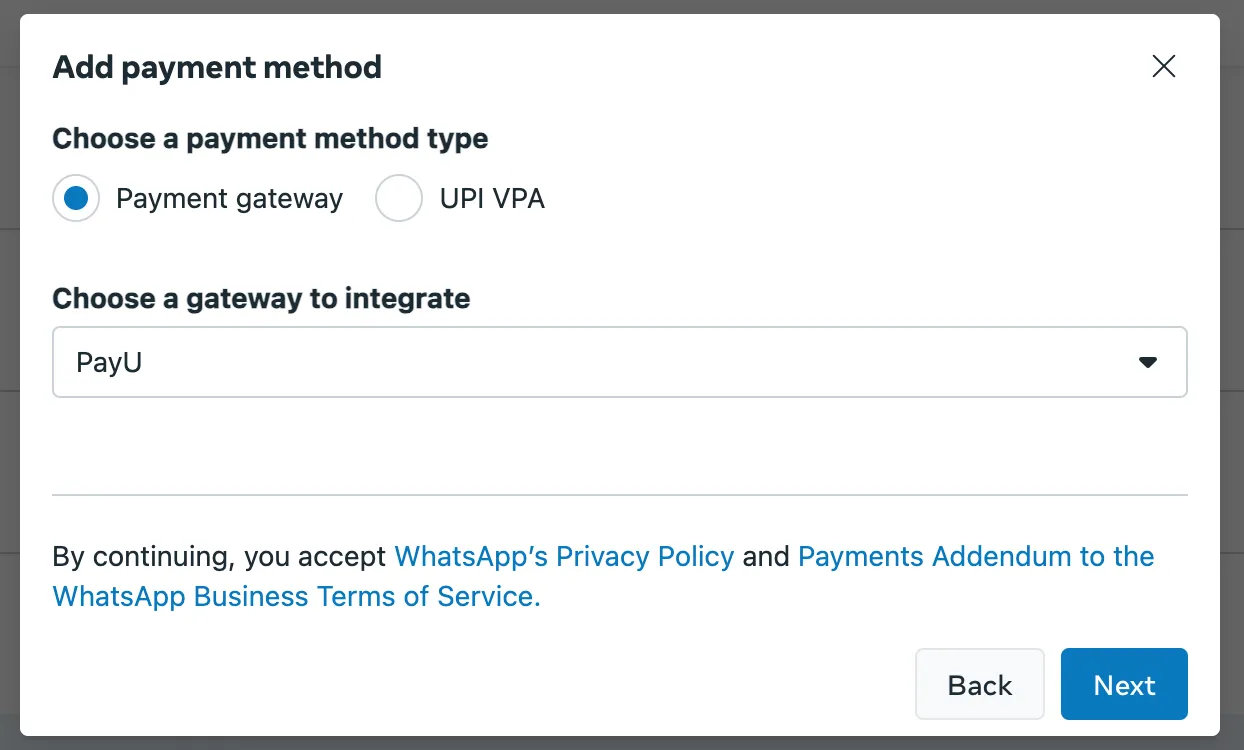

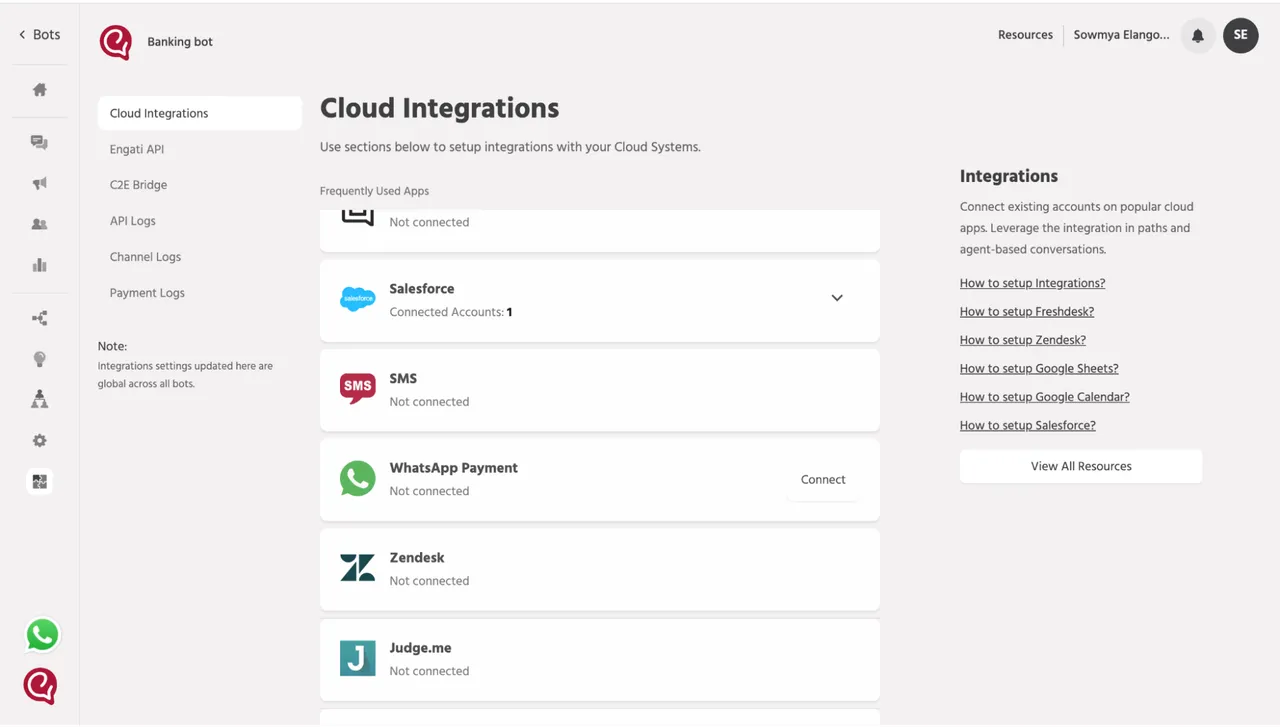
3. Enter the "Payment Configuration Name" and choose the appropriate "Payment Type" to complete the setup.
To send money with WhatsApp here is what to do.
Step 1: Open the respective chat.
Step 2: Tap on the “₹” sign on the right side of your text bar.
Step 3: Enter the Amount
Step 4: Enter your UPI Pin
Solution: Double-check if you’ve sent the money to the correct contact. Since WhatsApp acts as a third-party provider for UPI transactions, the payment happens directly between banks. If your contact hasn’t received the money yet, reach out to your bank to get more information on the status of the transaction.
Solution: If a payment fails, WhatsApp notifies you, and your bank typically processes a refund within 4 business days. Check your bank account for updates. If the issue is still not resolved, you may need to contact WhatsApp support.
To do this, tap the payment message, then select Help.
Solution: Make sure your bank supports UPI and that your WhatsApp number matches the phone number linked to your bank account. If your bank account is joint or NRI, it may not be supported for WhatsApp payments. Additionally, verify that you have a stable internet connection and can send/receive SMS. On dual SIM phones, ensure that the default SIM is the one linked to your bank account.
Solution: You cannot send money if the recipient hasn’t enabled payments in WhatsApp. A message will pop up prompting the recipient to enable payments. Encourage your contact to set up payments for a smoother transaction.
Solution: If your automatic payment fails, check whether you have enough funds in your account, entered the correct PIN, and have a stable internet connection. If you forgot your PIN, tap Reset PIN or Forgot PIN? to reset it. If the problem continues, it’s best to reach out to your bank for assistance.
WhatsApp payments is one of the features that will make things very convenient for both; businesses as well as users. Thus, it is advisable to start adapting WhatsApp payments for businesses which will eventually improve their conversion rates. With the growing traction for the feature businesses adapting the WhatsApp payment at the early stage will truly benefit from it.
Tech Corner
Get WhatsApp Green Tick Verification for your account. This badge helps users identify your official account on WhatsApp. Checkout 5 steps for verified whatsapp
Whatsapp Marketing
Learn how to create a WhatsApp bot in 5 minutes with easy steps. Discover WhatsApp integration tips, explore use cases & get a chatbot demo with free trail.
Whatsapp Marketing
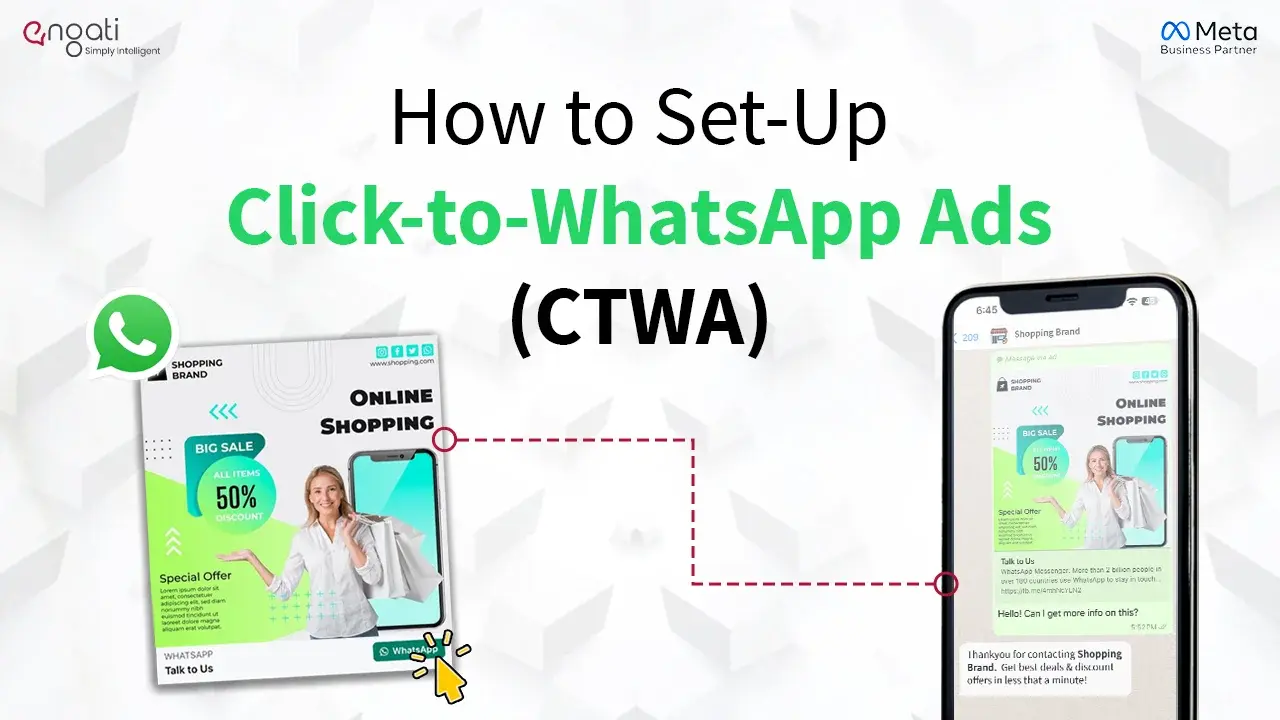
Learn how to easily set up and run Click-to-WhatsApp Ads. With just one click, boost your conversions and connect with your audience in a more personalised way.